 11
11
Amazon Kindles have long been lauded for their singular dedication to displaying ebooks in a crisp, highly readable, and eye-friendly format, thanks to their signature E-Ink technology. This core function has cemented their place as indispensable tools for avid readers worldwide. However, the versatility of these seemingly straightforward e-readers extends far beyond their primary purpose, offering a surprising canvas for innovation and repurposing. Many users might not realize the latent capabilities embedded within their devices, especially older models that might otherwise gather dust.
For those who have recently upgraded to a newer Kindle model, or for technology enthusiasts eager to explore the hackable nature of these e-readers, a world of creative projects awaits. These endeavors not only breathe new life into older devices but also offer an engaging way to interact with technology in unexpected ways. Three distinct projects stand out as prime examples of this untapped potential, ranging in complexity and the investment of time and effort required. Crucially, comprehensive instructions for each of these transformative projects are readily available online, providing a clear roadmap for anyone keen to embark on their own Kindle hacking journey.
Transforming Your Kindle Into a Spotify Controller
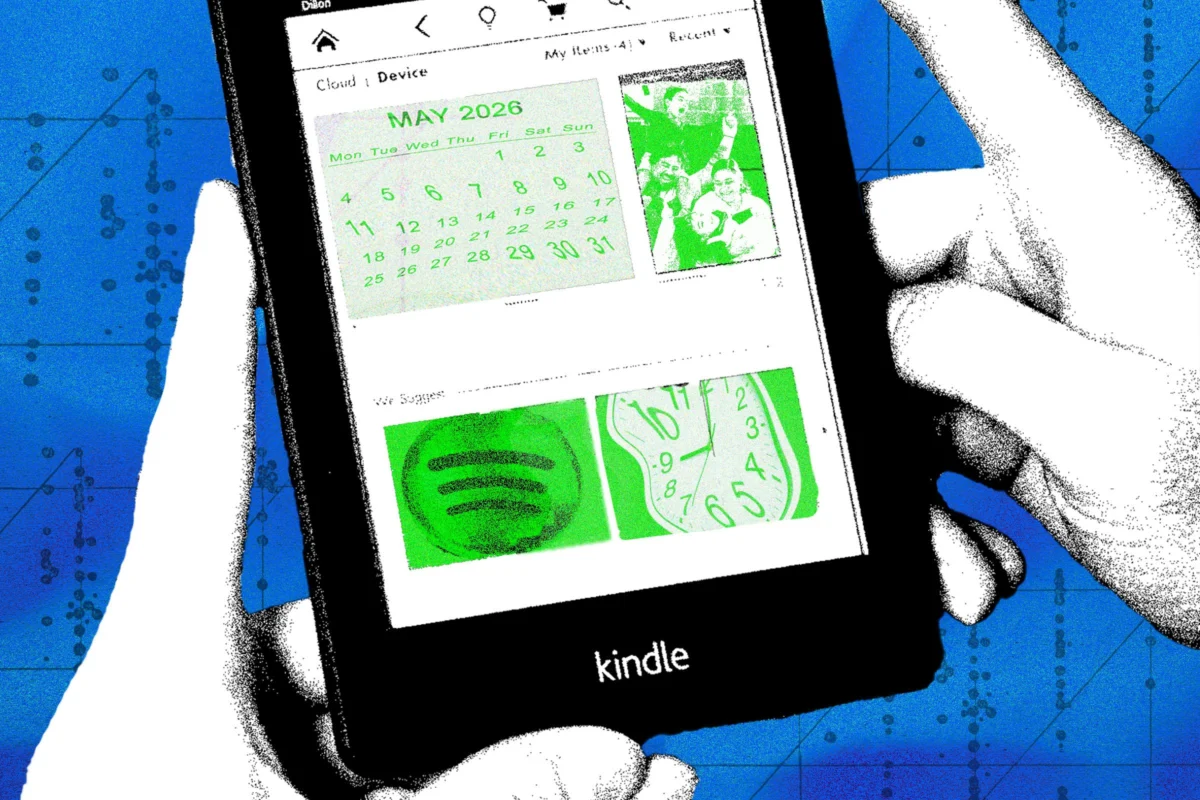
One of Spotify’s most compelling attributes is its remarkable interoperability across a multitude of devices and its seamless integration with numerous other digital services. This ubiquitous presence allows users to manage their audio experience from virtually anywhere. Surprisingly, this extensive ecosystem can now include your Amazon Kindle, turning the e-reader into a dedicated remote control for your Spotify playback. The appeal lies in having a secondary, always-on display for music control without the distractions typically associated with smartphones or tablets.
The mechanism behind this ingenious hack is remarkably straightforward, facilitated by a third-party web service called Kindlify.co. To initiate the process, users simply need to open the Kindle’s built-in web browser and navigate to Kindlify.co. Upon arrival, a prominent "Connect Spotify" option will prompt users to log in using their Spotify credentials. Once authenticated, the Kindle screen will dynamically update to display details of the audio content currently playing through the user’s Spotify account. A fundamental requirement for this setup to function is that the Kindle must be connected to the same Wi-Fi network as the device actively playing the music, podcasts, or audiobooks. This ensures a synchronized communication channel between the controller and the audio source.
This functionality is underpinned by Spotify Connect, a sophisticated feature that many users may already be familiar with. Spotify Connect allows for a fluid transition and control of audio playback across various compatible devices. For instance, a user might initiate music playback on their laptop and then seamlessly take control of it from their smartphone, or vice versa. The same principle applies to managing playback through a range of smart speakers and other connected audio systems. The Kindle hack ingeniously taps into this existing infrastructure, leveraging the e-reader’s web browser as an interface for the Spotify Connect protocol. Discussions surrounding this innovative use of the Kindle can be found on community platforms like Reddit, where enthusiasts share their discoveries and experiences, highlighting the collaborative spirit of the hacking community.
It is vital to understand the precise nature of this hack: the Kindle is not physically storing any music files, nor is it running an official, full-fledged Spotify application. Instead, it acts purely as a remote control interface. By connecting to your Spotify account via Kindlify.co, the Kindle gains the ability to send commands to the primary playback device. This means users can effectively skip forward or backward through tracks, pause, and resume playback, all directly from their E-Ink e-reader. The advantages of using a Kindle for this purpose include its exceptional battery life, its glare-free E-Ink display which is easy on the eyes, and its role as a dedicated, single-purpose remote, minimizing distractions often associated with multi-functional devices.
Transforming Your Kindle Into a Smart Home Display
Another compelling avenue for repurposing an Amazon Kindle involves transforming its distinctive E-Ink screen into a dynamic smart home display. This project allows the e-reader to become a centralized hub for vital information, pulling in real-time data from various connected services and devices within a smart home ecosystem. Imagine glancing at your Kindle to instantly view the latest weather forecasts, check upcoming calendar appointments, or review your daily to-do lists, all presented on a clear, low-power display. The inherent advantages of E-Ink—its always-on capability, minimal power consumption, and excellent readability in diverse lighting conditions—make it an ideal candidate for such a persistent information display.
This particular project is recognized as the most intricate and involved among the three presented, demanding a significant commitment from the user. Its complexity stems from the need to orchestrate several technical components, ranging from establishing a custom website or web server to potentially designing and fabricating a custom-made physical frame for the Kindle. The comprehensive guide for this ambitious undertaking has been meticulously documented and provided online by developer Matt Healy, who originally conceived and implemented this innovative solution. His detailed instructions serve as an invaluable resource for anyone eager to replicate or adapt this smart display concept.
Engaging with this project offers a unique and profound learning experience. It serves as an excellent gateway for individuals interested in delving deeper into various aspects of technology, including hardware hacking, basic coding principles, the intricate inner workings of Kindle devices, and, crucially, understanding how disparate applications and services communicate with one another through Application Programming Interfaces (APIs). By the time the project is completed, participants will likely have gained a robust understanding of these concepts, potentially inspiring them to conceive and develop similar custom hacks tailored to their specific needs and interests. The process encourages problem-solving and a deeper appreciation for the interconnectedness of modern digital systems.
The specific information displayed on the Kindle is entirely customizable and contingent upon the user’s preferences and the platforms they utilize. A key requirement is that these information sources must support third-party connections, typically through open APIs, to allow the Kindle-based display to retrieve and render the data. As demonstrated by Matt Healy’s supplied scripts, his implementation successfully pulls in a diverse array of real-time information. This includes up-to-the-minute weather reports from specialized services, synchronized entries from digital calendars, and even status updates for upcoming deliveries, providing a comprehensive overview of daily life at a glance. The E-Ink screen’s ability to maintain an image without constant power refresh makes it particularly suitable for static or infrequently updated information, ensuring a consistently visible display with minimal energy drain.
Transforming Your Kindle Into a Literary Clock
Finally, for those who appreciate a blend of technology and the arts, another captivating project involves repurposing a Kindle into a unique "literary clock." This hack ingeniously preserves the e-book theme that is central to the Kindle’s identity while transforming the device into a charming and intellectually stimulating time display. Rather than showing simple numerals, each passing minute is represented by a carefully curated quote from a work of literature that specifically references that particular time. Imagine glancing at the clock at 3:17 PM and seeing a passage from a classic novel that mentions "seventeen minutes past three." It’s a subtle yet profound way to engage with literature throughout the day.
As with the smart home display project, the literary clock demands a significant investment in terms of coding, script development, and overall setup configuration. The complexity arises from the need to curate or generate a vast database of time-specific literary quotes, develop the logic to accurately match the current time to an appropriate quote, and then program the Kindle’s display to refresh with this dynamic content. Despite the ambitious nature of this endeavor, comprehensive instructions are made available online, such as those found on platforms like Instructables, empowering determined enthusiasts to tackle the project themselves. These guides break down the intricate steps, making the challenge accessible to those willing to learn and experiment.
Beyond the technical implementation, users also have the creative freedom to enhance the aesthetic appeal of their literary clock. While not strictly essential, fashioning a custom stand or frame for the device can significantly elevate its presentation, transforming it from a mere e-reader into a distinctive piece of home decor or a conversation starter. However, for those who prefer a more minimalist approach or wish to focus solely on the functionality, the original look of the e-reader is perfectly adequate for displaying the literary clock. The E-Ink screen’s characteristic clarity and low power consumption make it an ideal medium for this kind of always-on, text-based display, allowing the literary quotes to remain visible and engaging without draining the battery excessively. This project stands as a testament to the Kindle’s versatility, demonstrating how its core strengths can be creatively recontextualized to offer a truly unique functional and artistic experience.