11

Apple has officially launched its highly anticipated mobile operating systems, iOS 27 and iPadOS 27, commencing their rollout today, September 14, 2026. While the current iteration doesn’t introduce a radical visual overhaul comparable to the Liquid Glass redesign seen in the previous version, iOS 26, it delivers a wealth of significant improvements focused on stability, quality-of-life enhancements, and a groundbreaking upgrade to Siri’s artificial intelligence capabilities. These updates are poised to subtly but profoundly alter the way users interact with their iPhones and iPads on a daily basis.
Device Compatibility: Who Gets the Update?
A common concern with new operating system releases is device compatibility, as Apple occasionally discontinues support for older hardware that might struggle with demanding new features. However, for iPhone users, this year brings good news. iOS 27 will support all iPhones from 2019 and newer, encompassing the iPhone 11 series and subsequent models, including the second-generation iPhone SE. This means that any iPhone capable of running iOS 26 will also be compatible with iOS 27, ensuring a broad upgrade path for many existing users. To verify your iPhone model, navigate to Settings > General > About.

iPad compatibility, however, presents a slightly more nuanced picture. Apple has transitioned away from a "generations" naming convention for iPads, now primarily using the device’s chipset to denote its model. While many recent iPads are supported, a few older models will not receive the iPadOS 27 update. Specifically, the 8th-generation iPad from 2020 and the 5th-generation iPad Mini are excluded from this release. Users can consult Apple’s official support documentation to confirm their specific iPad model and its compatibility status.
Seamless Installation: Preparing Your Device
Before proceeding with the installation of iOS 27 or iPadOS 27, backing up your device is an absolutely crucial step to safeguard your data. This can be easily done by going to Settings, tapping your name at the top, selecting iCloud, then iCloud Backup, and finally tapping Back Up Now. For alternative backup methods and more comprehensive details, users can refer to Apple’s guide on backing up iPhones or iPads.
Once your device is securely backed up, the installation process is straightforward. Navigate to Settings > General > Software Update and select iOS 27 or iPadOS 27 when the option appears. The installation will typically take several minutes, during which your iPhone or iPad will restart. Users should allocate sufficient time for this process. Following the update, the newly enhanced Siri AI assistant will prompt you to allow it to index your phone or iPad. This indexing is essential for Siri to learn about your preferences, apps, and data, enabling it to provide more personalized and helpful assistance. Be prepared for this indexing to take a considerable amount of time, ranging from a few hours to potentially a couple of days, depending on the volume of data on your device.

Apple Intelligence: Hardware-Specific Features
It is important for users to understand that while iOS 27 and iPadOS 27 bring a host of new features, certain advanced capabilities powered by Apple Intelligence are hardware-dependent. These cutting-edge artificial intelligence features are exclusively compatible with the iPhone 15 Pro and newer models, as well as select iPads. Consequently, older devices, even if updated to iOS 27 or iPadOS 27, will not have access to these specific AI functionalities.
Top New Features in iOS 27 and iPadOS 27
The latest operating systems introduce a range of enhancements, largely consistent across both iPhones and iPads, with a particular emphasis on intelligent features and system optimization.

Siri AI and a Revamped Siri App
Siri receives its most substantial upgrade yet, transforming into a "more capable assistant," according to Apple. This enhanced intelligence is attributed to Apple’s third-generation foundation models, which were developed from the ground up, drawing inspiration from Google’s Gemini models. Apple emphasizes that it does not utilize Google’s infrastructure to power Siri interactions, ensuring that no user data from Siri actions is shared with Google.
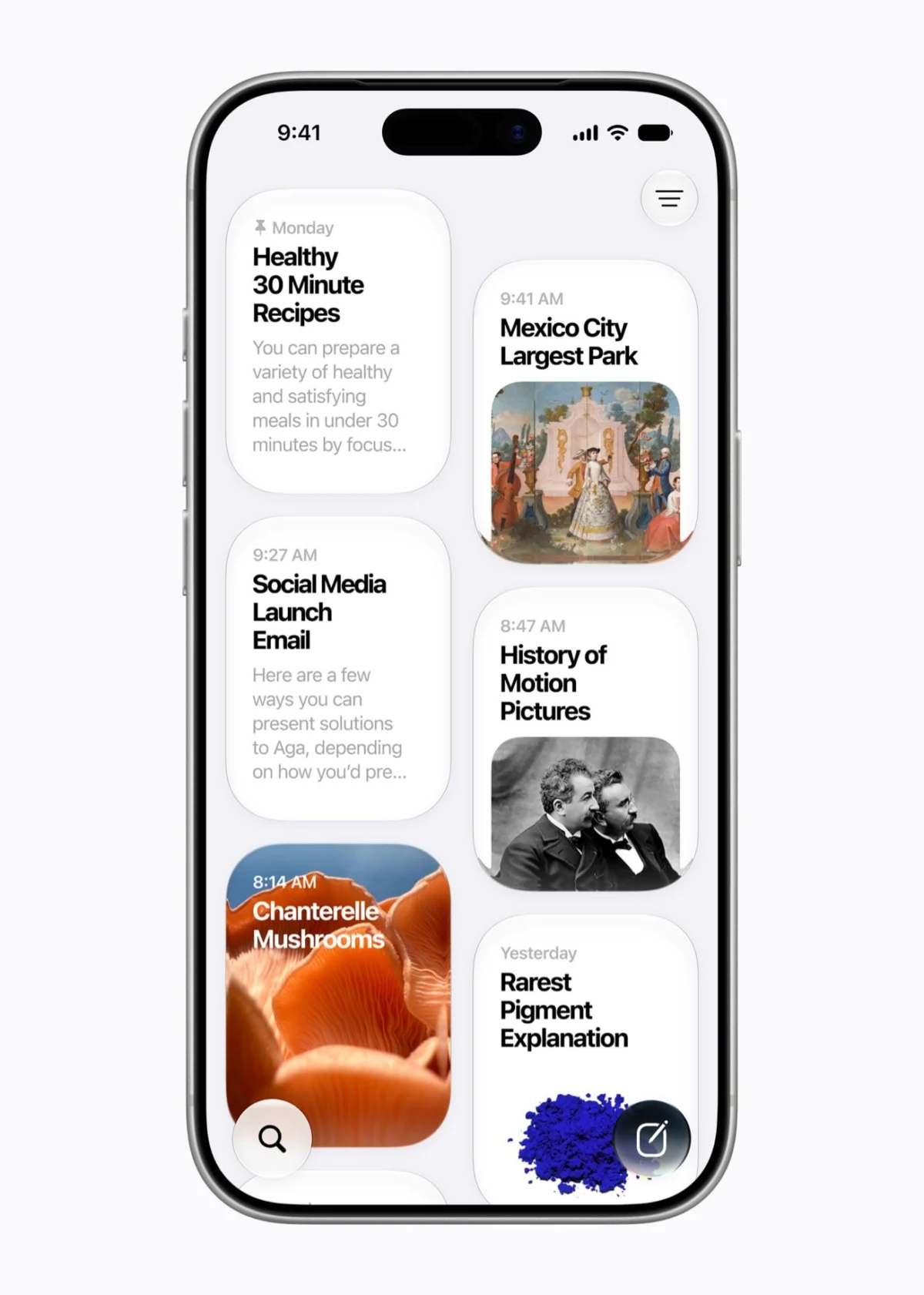
Upon activation, Siri AI now sports an all-new visual interface, appearing as a sleek glass orb. Users can interact with Siri by typing or speaking naturally, and a dedicated Siri app has been introduced, allowing users to revisit past conversations or seamlessly continue interactions across different devices. Siri’s integration extends to the camera app, offering a more direct route to visual search capabilities, akin to Google Lens. For instance, pointing the camera at a restaurant bill allows Siri to intelligently assist in splitting the tab among friends.
The assistant’s ability to understand "personal context" is a cornerstone of this upgrade. Siri can intelligently sift through your emails, messages, and photos to retrieve relevant information based on your queries. This personal understanding empowers Siri to take proactive actions on your behalf, such as drafting an email with a specific tone or recommending wines to complement a particular dish. Siri’s voice has also become more expressive, with options for users to customize its voice, expressiveness, and pace to their liking.
Platform Stability Improvements
A core focus of iOS 27 is to significantly enhance the overall speed and responsiveness of the operating system. Apple reports impressive gains, including app launches that are up to 30 percent faster, newly captured photos loading up to 70 percent faster in the Photo Library, and AirDrop transfers seeing an acceleration of up to 80 percent. The iPhone’s ability to seamlessly switch between Wi-Fi and cellular networks has also been improved, aiming to eliminate those frustrating moments of lost connectivity. Many of these performance upgrades, particularly for older iPhone models like the iPhone 11, are attributed to a better-optimized CPU Scheduler.

Liquid Glass Refinements
The Liquid Glass aesthetic introduced in iOS 26 receives thoughtful refinements in this update, offering users greater control over its appearance. Apple states that the design language has been generally updated to improve readability and contrast, with app icons, for example, appearing sharper. Crucially, a new slider in the Settings menu now allows users to adjust the intensity of the Liquid Glass effect, ranging from a super clear, transparent look to a more opaque finish. This customization option can be found under Settings > Appearance > Liquid Glass.
Child Safety Features
Apple dedicated significant attention during the WWDC keynote to highlighting the robust child safety features integrated into iOS 27 and iPadOS 27. A new Setup Assistant empowers parents to pre-select essential system and other applications for their children when first configuring an Apple device. The "Ask to Browse" feature ensures that any new websites encountered by children in Safari require parental approval before access. Furthermore, "Communication Safety" actively prevents children from being exposed to nudity or violence within the Messages or FaceTime apps by blurring such content by default.
Further additions include "Time Allowances," which enable parents to set specific daily limits for how long children can use particular app categories, such as Entertainment, with Apple providing age-appropriate guidance. "Schedules" allow parents to define which apps are accessible during different times of the week. All these parental controls are now more intuitively managed within a redesigned parental dashboard.
AI Features in the Photos App
The Photos app receives a targeted infusion of Apple Intelligence AI features, though, as noted, these are exclusive to iPhones supporting Apple Intelligence (iPhone 15 Pro and newer) and select iPads. The existing "Clean Up" feature, which allows users to remove unwanted objects like trash bags or background people from photos, now benefits from Apple’s upgraded foundation models, performing with greater precision. Smaller clean-up tasks are handled on-device, while larger or more complex removals may leverage Apple’s Private Cloud Compute servers for processing.

"Extend" is a new and innovative feature within Photos, enabling users to expand the edges of a photograph. This is particularly useful if a picture was accidentally taken too close to the subject, allowing the system to intelligently generate and fill in the additional visual space based on the photo’s context. This feature operates using Apple’s diffusion model in the cloud.
Finally, "Spatial Reframing" allows for altering a photo’s perspective. For instance, if a photo was shot from too high an angle, this feature can reframe it to appear as if it was taken from a lower vantage point. Generative AI is used to fill in any gaps created by the perspective change, with Apple carefully preserving faces and pets to avoid undesirable alterations. These features are accessible by tapping the Edit button on a photo and navigating to Tools. While free to use, Apple implements usage limits, with higher-tier iCloud subscriptions offering expanded access.
Image Playground Upgrades
For users interested in AI-generated imagery, Apple’s Image Playground app now boasts a more powerful image-generation model. This enhancement facilitates the creation of higher-quality AI images in virtually any style, including impressive photorealistic outputs, which is now the default style if no specific prompt is given. Similar to the Photos app’s AI features, Image Playground’s capabilities come with daily usage limits tied to the user’s iCloud subscription tier.
More Contextual Actions
Drawing inspiration from features like Google’s Magic Cue, Apple is introducing one-tap contextual actions within the Messages and Mail apps. For example, if a contact messages you about picking up milk on the way home, a button will appear to instantly add it as a reminder. Similarly, a message inquiring about a specific date for an outing will present a Calendar button to create an event with a single tap. It’s important to note that these specific contextual actions were removed from the final release of iOS 27 but are slated to be added in a future update.

Complementing this, the Phone app now includes a "Call Context" feature. If you are on a call with an airline like Delta, for instance, relevant flight information, such as a confirmation number, will be dynamically displayed on the dialer screen, eliminating the need to search through emails during the call.
Easier Shortcuts
Recognizing the previous complexity of creating automations, Apple has significantly simplified the Shortcuts app. Instead of requiring users to meticulously configure various rules and triggers, the app now understands natural language input. Users can simply type what they desire, such as, "Text my wife my ETA when I leave work," and the Shortcuts app will intelligently set up the automated task. This involves leveraging location services, Maps data, real-time traffic information, and the Messages app to automatically send a text message when the user departs from work.
Safari Updates
Safari, Apple’s web browser, also receives several functional enhancements. For users who accumulate many open tabs, Safari will now intelligently organize them into thematic topics. A new notification feature allows Safari to alert users when a specific web page changes, which could be useful for tracking price drops or product restocks.
Perhaps the most innovative Safari addition is "Custom Extensions." This feature allows users to describe a desired browser functionality, and Safari will generate a custom extension to fulfill that need. Before generating a new extension, it will suggest existing third-party extensions that might offer similar functionality. For example, a user could describe, "When I hit the toolbar button on a recipe website, give me a button to save the recipe, add a star rating, and let me make comments; make the interface look nice." Safari will then generate this custom extension, which will also seamlessly synchronize across all the user’s Apple devices, including their Mac.

Other Smaller Updates
Among the myriad of smaller improvements, users with AirPods will find new customization options, including a Custom EQ feature that allows for fine-tuning audio output to personal preferences.
With its focus on foundational stability, powerful AI integration, and thoughtful user experience enhancements, iOS 27 and iPadOS 27 represent a significant, albeit less visibly dramatic, evolution for Apple’s mobile ecosystem.