11

The modern workspace has increasingly embraced standing desks as a solution to combat the sedentary nature of office work, yet recent research and expert opinions suggest a more nuanced understanding of their benefits. While standing desks can indeed mitigate some health risks associated with prolonged sitting, new studies, such as one published in the International Journal of Epidemiology, indicate that excessive standing can introduce its own set of problems, potentially increasing the risk of cardiovascular disease. This complexity underscores the challenge in definitive pronouncements regarding their universal utility.
Anne-Kristina Arnold, a distinguished kinesiology expert and senior lecturer in the Department of Biomedical Physiology and Kinesiology at Simon Fraser University, highlights the difficulties inherent in epidemiological research concerning standing workstations. "To say standing workstations are good for everybody in every situation all the time is never going to flow," Arnold explains. She emphasizes the multitude of variables at play, including the diverse nature of work tasks, individual body sizes, varying fitness levels, and even the type of footwear worn. This array of factors contributes to the mixed findings in current research, preventing a definitive blanket endorsement of standing desks.
Arnold suggests that simply switching from sitting to standing does not inherently resolve all ergonomic or health concerns. In fact, standing for excessively long periods can lead to new issues. For individuals who choose to utilize a standing workstation, Arnold recommends adopting a standing posture for approximately 20 minutes per hour. Alternatively, for those with traditional desks, the advice is to rise and move around every 15 to 20 minutes. Ultimately, she concludes that while standing desks have their place, "The standing workstation isn’t necessarily the answer—getting up and walking is better." This expert perspective emphasizes dynamic movement over static postures, whether sitting or standing.
When integrating a standing desk into a workspace, ergonomic principles remain paramount. The same rules that apply to a seated workstation extend to a standing one. Key among these is ensuring your elbows are at a 90-degree angle when typing, with the keyboard positioned at elbow height. Your monitor should be at eye level, a helpful guideline being that the top of the monitor aligns with your gaze. For laptop users, an ergonomic typing position is best achieved with a dedicated laptop stand, angled appropriately. Crucially, before adjusting the height of your desk, always ensure your office chair is properly adjusted to the floor to establish a correct baseline.

Beyond ergonomics, practical considerations like cable management are exceptionally vital for standing desks. The dynamic nature of these desks, which regularly change height, necessitates careful attention to wiring. Neglecting proper cable organization can lead to frustrating and even damaging incidents. Julian Chokkattu, a WIRED reviewer, recounts a "rookie move" where his Ethernet cable, taut and unnoticed, cleanly snapped off the back of his PC as his desk ascended. Similarly, Matthew Korfhage, another reviewer, admits to needing to tack down his cables to prevent "grievous consequences" due to his natural distractibility. Wires can become undone, objects can be scooted off the desk, or, in extreme cases, even wall-mounted art can be knocked askew. Vigilance is key to avoiding these common pitfalls.
WIRED’s Reviews team employs a rigorous, long-term testing methodology to evaluate standing desks, reflecting the significant investment they represent for consumers. Reviewers integrate these desks into their personal home offices, using them for extended periods—often months, sometimes even years. During this extensive testing, every perceived flaw and notable highlight is meticulously documented. The evaluation criteria are comprehensive, encompassing building materials, motor performance (including noise levels and speed), the functionality of preset options, the effectiveness of cable management solutions, overall ease of use, and aesthetic appeal.
Beyond initial impressions, the team assesses the difficulty of assembly and setup, as well as the practicality of disassembling or moving each desk, acknowledging that these are substantial pieces of furniture expected to last for years. The length of the product warranty and the manufacturer’s service reputation are also critical factors. This long-term engagement reveals subtle details that can take on outsized importance over time, such as the presence or absence of a grommet, the comfort of a rounded edge, or the long-term stability of a bolt. While this in-depth approach, given the bulk and involved setup of these products, means the small team cannot test every single desk on the market, new models are continually added to their evaluation roster.
Other Standing Desks to Consider
Among the array of standing desks available, several models stand out for their innovative features, design, or value:

The Ergodriven Tempo Automatic Standing Desk ($629) embraces the "smart" desk concept with its automated Cruise Control function, designed to encourage position changes throughout the day. It alerts users with a "wiggle" before adjusting, allowing manual override. A presence sensor ensures the desk doesn’t move when unoccupied. Reviewer Nicole Kinning found its app-based "achievements" a fun motivator, and while sturdy, noted its weight and an early cosmetic crack on the edge. A robust 16-year warranty offers significant peace of mind.
For those with limited space or budget, the Luxor Compact Electric Standing Desk ($200) offers a no-nonsense solution. Its shallow 23.5-inch tabletop fits tight corners, and the electric lift operates steadily and quietly at one inch per second. With a 154-pound weight capacity, it easily accommodates essential office equipment. Kinning observed the lift mechanism is exposed underneath, which might affect legroom at sitting height.
The Simple Height Adjustable Desk ($850) lives up to its name by prioritizing straightforward functionality. Assembly is easy, and an integrated channel ensures tidy cable routing. Despite a somewhat ambiguous leg attachment system, the desk proves solid and sturdy once upright. Kinning praised its smooth, quiet operation, four height presets, and durable laminate top, highlighting its fuss-free design that prioritizes function.
The Eureka Ergonomic Opal Standing Desk ($2,250) is a luxurious, "opaline" workstation with a distinctive art-deco aesthetic. Its design features beaded cabinets, gold hardware, a marbled top, and an integrated drawer, offering ample storage. Kinning found its setup tricky due to its heft and noted its tendency to slide on hard floors without grips. Despite these minor points, its stately appearance and comprehensive workstation features impressed her, making it a desk where one "could see herself writing a Great American Novel."
The Autonomous Desk Pro ($600) incorporates a "Desk AI" control attachment that monitors standing habits and environmental factors like air pressure, quality, temperature, humidity, and noise. While theoretically aimed at smarter work, the reviewer found the AI primarily flagged conditions uncontrollable by the desk itself. Nonetheless, it offers a "fun and techy bonus" to an otherwise reliable desk.

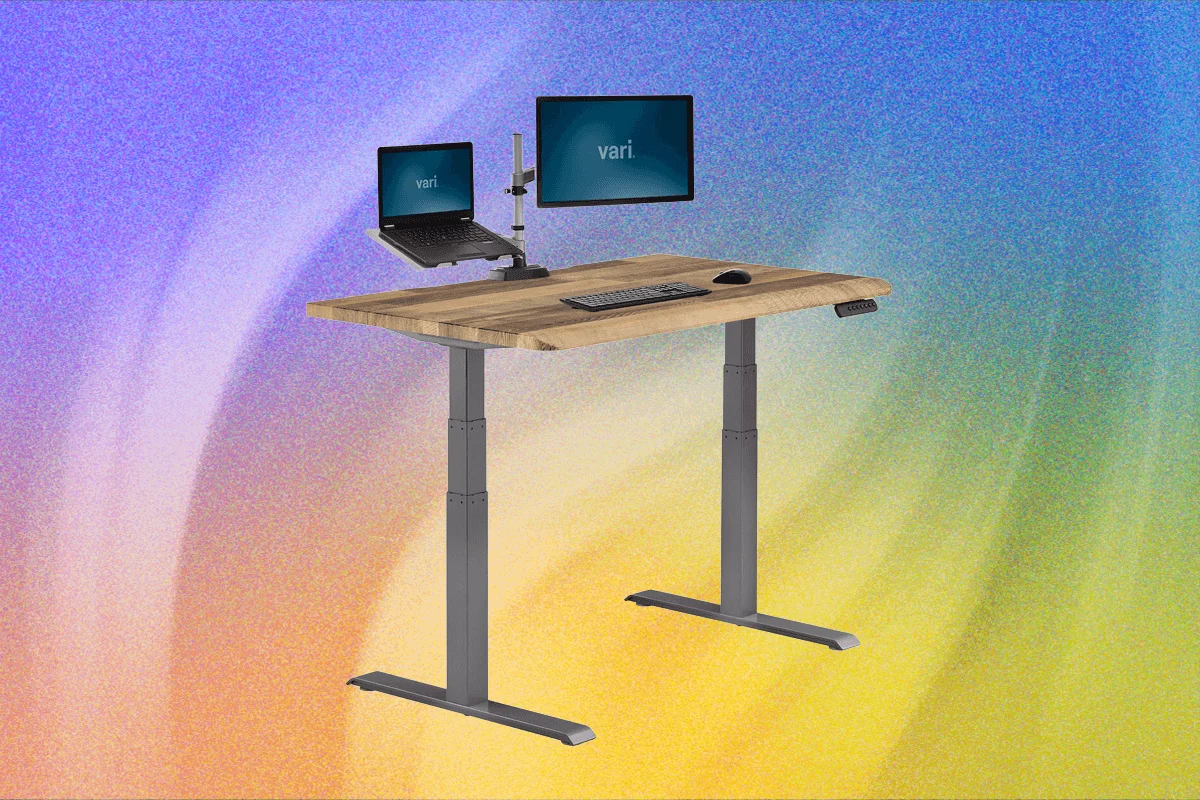
Crafted from FSC-certified solid wood, the Vari Solid Wood Electric Standing Desk ($829) is lauded for its heavy, stable construction, even on carpeted surfaces. Its motor is notably quiet and subtle. Reviewer Nicole Kinning particularly appreciated the "ComfortEdge" feature, which softened the edge where wrists rest during long typing sessions. While pricier, the desk’s solid wood construction and long-term durability justify the cost for discerning users. A traditional version is also available.
The Boulies Magvida ($760) stands out with its EMO magnetic organization system, allowing accessories like cable trays, hooks, and straps to snap securely beneath the desktop. This innovative design, combined with memory presets, a child lock, and anti-collision detection, creates a clean and clever workspace.
The Herman Miller Jarvis Bamboo Standing Desk ($1,325), now under Herman Miller, has proven its longevity, serving reviewer Simon Hill reliably for six years. It features a contoured bamboo top, optional wire management, and a responsive control panel with presets. Hill noted a slight wobble at higher levels and advised opting for the programmable controls over the less reliable newer touchscreen OLED unit.
An epitome of elegance, the Room & Board Lincoln Desk ($5,399), designed in collaboration with Gensler, is a dignified, sturdy, and wobble-free electric standing desk. Available in various solid wood options and stains, it offers integrated drawers on the left, right, or even centrally in its larger 72-inch configuration. While its high price includes white glove delivery and assembly, its thick desktop may require direct screwing for some monitor mounts, posing a minor quirk.
Staples’ house brand offers the Union & Scale Electric Standing Desk With Micro Movements ($513) as an affordable option. Reviewer Julian Chokkattu found it easy to assemble, with dual motors and a functional control panel featuring presets. Despite its lack of wobble, the collision sensor could be more sensitive, and the desk lacks a grommet for cable routing. The "Micro Movement" mode, intended to reduce fatigue, proved more distracting than useful for Chokkattu.

The Beflo Tenon Premium ($3,998) is an "incredibly expensive" and heavy hardwood smart desk that impresses with its sturdy build and sophisticated design. Reviewer Henri Robbins praised its straightforward assembly and well-integrated features, including touchscreen controls, a built-in power strip, audio passthrough, and LED lighting. The iOS-like touchscreen, sit/stand timer, and phone connectivity enhance its functionality. It supports over 200 pounds even when moving, with overheat protection for the motors. However, Robbins noted the motor’s audible operation, contrary to "whisper-quiet" marketing, and minor issues with LED color adjustment and a short audio cable.
The Herman Miller Spout Sit-to-Stand Table ($3,275) offers a visually appealing, "normal desk" aesthetic with smoothly rising motors. Reviewer Nena Farrell found it easy to adjust but noted a distinct "high hum" from the motor. Surprisingly, for its price point, it lacks memory presets. While an optional cable tray is available for an extra cost, and it features a slim center drawer, Farrell expressed disappointment over the use of veneers instead of real wood and the absence of presets.
The FlexiSpot E7 Pro ($400+) presents a more budget-friendly alternative with functionality similar to more expensive rivals. Reviewer Simon Hill, however, pointed out its shallow 23-inch desktop in the entry-level option, a somewhat cheap control unit, and a high-pitched whine during operation. He also encountered difficulties fitting larger power adapters and observed wobbling when the desk was fully extended. Despite these minor flaws, it remains a "perfectly decent standing desk" for its price.
For those seeking an entry-level option under $200, the Inbox Zero 47-inch Adjustable Electric Standing Desk ($196) offers expected features, including rolling casters and electric controls with presets. Former WIRED reviewer Martin Cizmar noted that while the split top aids shipping, it’s visually less appealing, and the motor works audibly. After three months, Cizmar deemed it a "decent budget standing desk with casters," but suggested happier outcomes with a slightly higher investment.
Standing Desk Accessories

To complement a standing desk setup, several accessories enhance functionality and ergonomics:
The Branch Clamp-on Power ($89) is a simple, elegant solution that attaches to the desktop, providing three AC outlets, one USB-C, and one USB-A port, effectively reducing cable clutter running to the floor.
For improved lighting, the LumeCube EdgeLight 2.0 ($150) offers clamp-on task lighting, ideal for illuminating the desktop and enhancing visibility during video calls, with adjustable color temperature and brightness.
Alternatively, the BenQ ScreenBar Lamp ($139) mounts atop a computer monitor, casting light directly onto the desktop without occupying desk space. The ScreenBar Pro variant includes a motion sensor to automatically turn off when you leave and on upon return, alongside automatic brightness and color temperature adjustments based on ambient room lighting.
The Secretlab Premium Footrest ($89) provides exceptional comfort with its plush memory foam, offering a welcome respite for feet. Reviewer Julian Chokkattu, who has used it for years, attests to its cushiness, ease of cleaning, and remarkable durability.

For monitor positioning, the Monoprice Single Monitor Adjustable Gas Spring Desk Mount ($84) offers reliable, smooth motion. Reviewer Julian Chokkattu found these WorkStream arm mounts consistently perform well, allowing for tension adjustment and flexible monitor placement, provided the weight load limit is respected.
For multiple displays, the Mount-It! Dual Monitor Arm ($280) is a heavy-duty solution capable of supporting an ultrawide and a vertical monitor, even with additional accessories like BenQ Screenbar lamps and a webcam. Chokkattu noted its accommodating clamp, even for thick desks, though he found its integrated RGB lighting to be largely ineffective.
Finally, the Harber London Professional Desk Mat ($239) offers desktop protection with a touch of luxury. Reviewer Julian Chokkattu praises its supple, soft pebbled leather, secure grip, and ease of cleaning, making it his preferred mat after years of use.
Avoid These Standing Desks
While many standing desks offer tangible benefits, some models present significant drawbacks that warrant caution:

The Corsair Platform:6 Desk ($1,400) initially impressed with its spacious design, integrated pegboard, and innovative rail system for mounting and sliding monitors. However, reviewer Julian Chokkattu experienced a critical failure where the rail system, after several months, tilted forward under the weight of two monitors—an issue echoed by other users online. Chokkattu also found the rail system to be of limited practical use and encountered recurring "rE5" error messages on the control screen. Given its high price and a comparatively short five-year warranty, these persistent issues make it a desk to approach with extreme caution.
The Marinamantra ‘Flow’ Sit-to-Stand Desk ($1,149) failed to meet expectations. Reviewer Nicole Kinning reported issues from the outset, with several screws loose in the box upon unboxing. More critically, the desk often "misbehaved," refusing to move up and down, requiring frequent troubleshooting underneath. While it featured commendable cord management with a lip and Velcro covers, these positives were overshadowed by its fundamental reliability problems, leading Kinning to conclude that she spent more time fixing it than using it.