 11
11
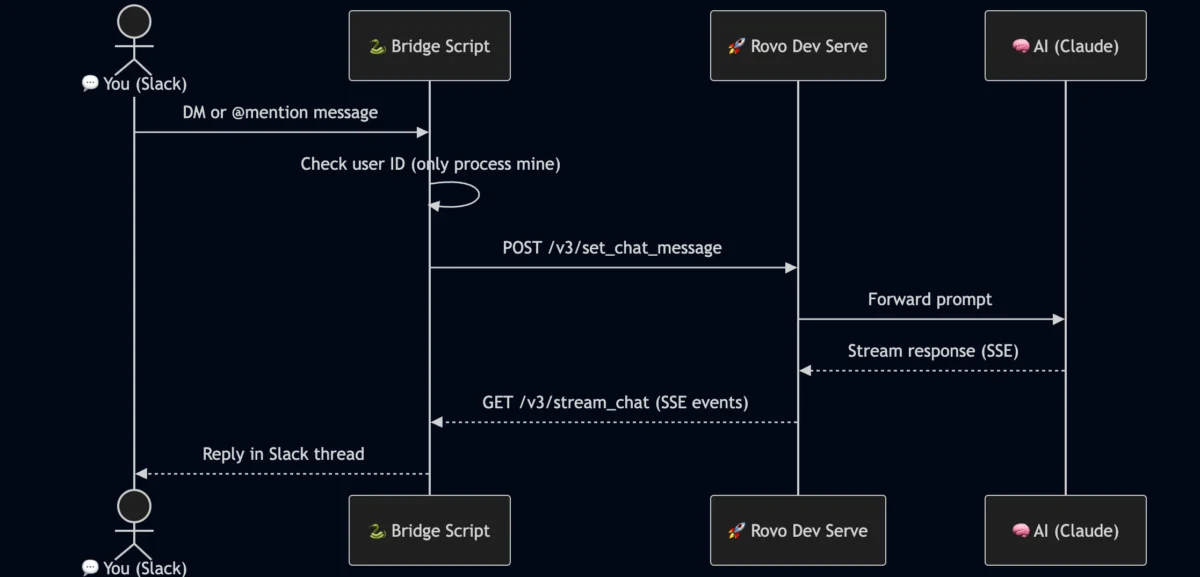
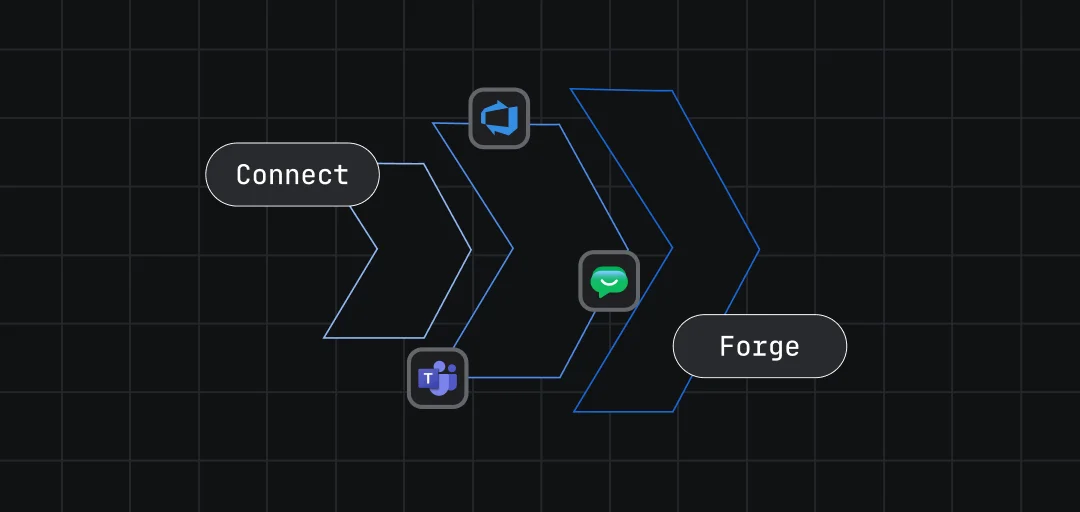
In a move aimed at reducing the cognitive load associated with context switching in software development, a new technical implementation has been revealed that bridges Atlassian’s Rovo Dev AI coding agent with the Slack communication platform. The project, consisting of approximately 300 lines of Python code, allows developers to interact with sophisticated AI coding assistance without leaving their primary chat environment, effectively bypassing the need for terminal-based interactions and local command execution.
Modern software engineering is often characterized by the friction of moving between disparate tools. Developers typically oscillate between integrated development environments (IDEs), terminal windows for command-line interface (CLI) execution, and communication hubs like Slack for team collaboration. Atlassian recently introduced Rovo Dev as part of its broader Rovo AI suite, designed specifically as an agentic workflow tool to assist with code generation, documentation, and repository management.
Standard interaction with Rovo Dev usually requires the Atlassian CLI (acli), where users execute commands such as acli rovodev run. While powerful, this terminal-centric approach necessitates a constant shift in focus. The development of this Python-based bridge addresses this specific pain point, creating a seamless conduit between the collaborative space of Slack and the automated coding capabilities of Rovo Dev.
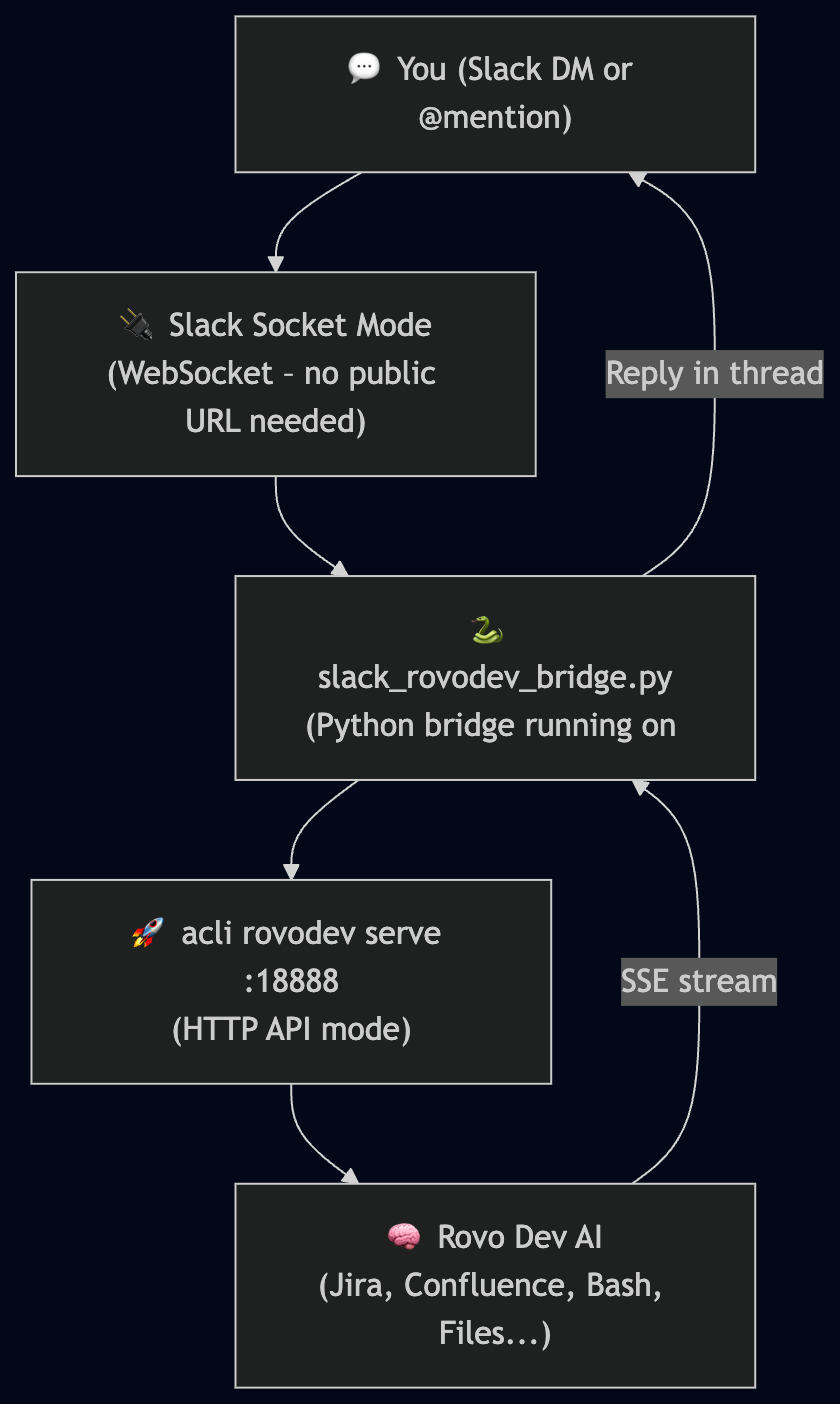
The core of this integration lies in a relatively obscure feature of the Atlassian CLI: the serve mode. By executing the command acli rovodev serve PORT, the Rovo Dev agent transitions from a standard CLI tool into a local HTTP server. This server exposes a clean API that allows external applications to programmatically interact with the AI agent.

The implementation utilizes a specific command configuration: acli rovodev serve 18888 --disable-session-token. This setup opens a local port (18888) and simplifies the authentication process for a local-only bridge. Once the server is active, it exposes two critical endpoints:
The bridge architecture is built on a stack comprising Python 3, the Slack Bolt framework, and Socket Mode. Slack Bolt is a dedicated library for building Slack apps with modern Python, while Socket Mode allows the application to receive events from Slack over a WebSocket connection. This is particularly advantageous for internal tools as it eliminates the need for a public HTTP endpoint or complex firewall configurations to receive webhooks.
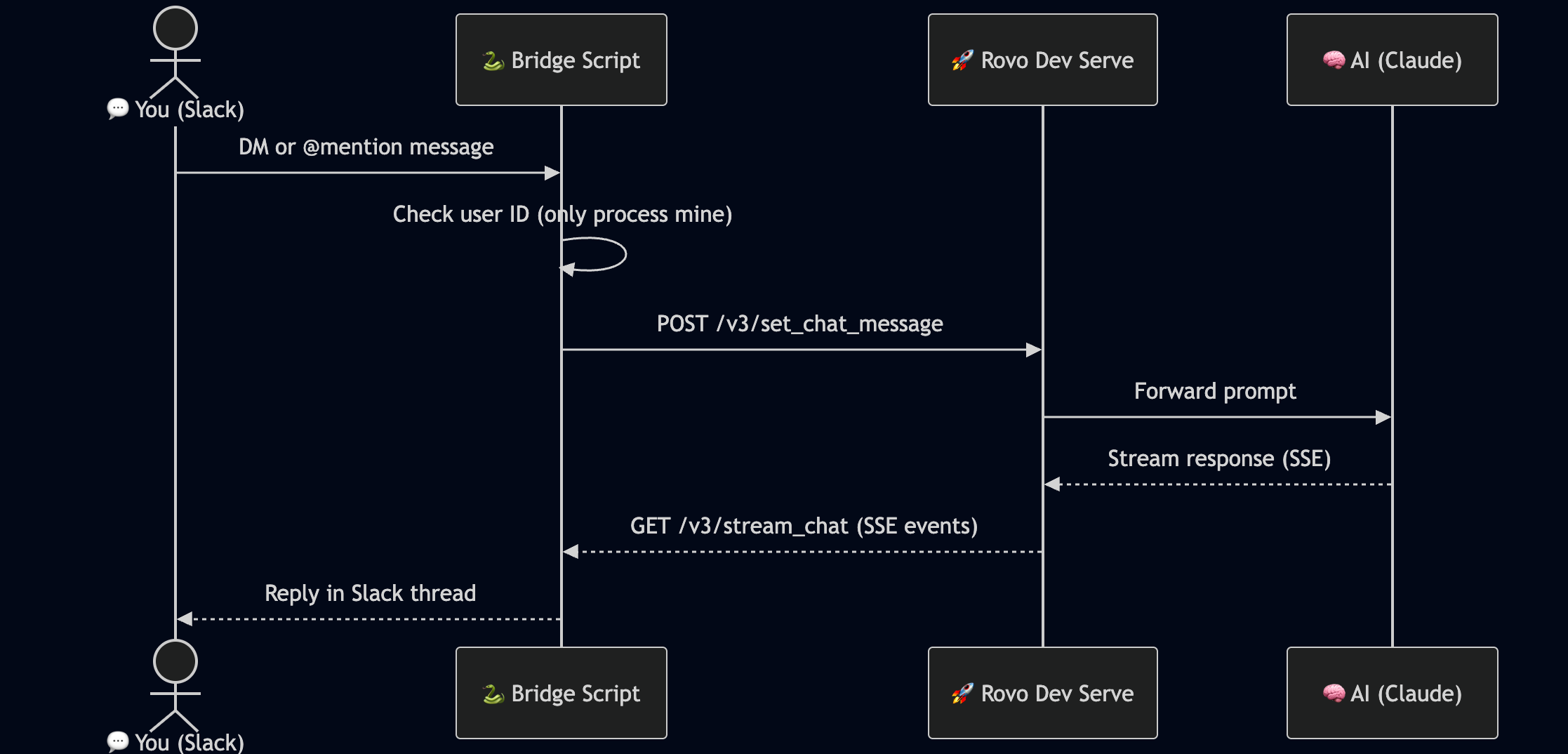
The bridge functions as a middleman, translating Slack events into API calls and vice versa. When a user sends a message to the bot in Slack, the Python script captures the event. If the message meets specific criteria—such as being a direct message or a mention—the script prepares a payload for the Rovo Dev local server.
One of the technical challenges addressed in the 300-line script is the handling of Server-Sent Events (SSE). The Rovo Dev API streams its responses using SSE, which is common for generative AI to provide real-time feedback. The Python bridge is designed to read this stream, collect the full response generated by the AI, and then format it for delivery back to the Slack channel. This ensures that the user receives a complete, coherent answer rather than fragmented data.
To ensure the system remains operational and resilient, the developer implemented systemd as a process manager. This choice ensures that the bridge and the acli rovodev serve process auto-start upon system boot and automatically restart in the event of a software crash, providing the "always-on" availability required for a primary workflow tool.
A significant concern when exposing a local coding agent—which may have permissions to modify local files or access sensitive repositories—to a platform like Slack is security. The Rovo Dev bridge addresses this through a strict user-filtering mechanism.
The script incorporates an environment variable, ALLOWED_USER_ID, which stores the specific Slack internal ID of the authorized developer. The bridge includes a logic gate that inspects the user field of every incoming Slack event. If the ID does not match the authorized user, the message is silently ignored. This prevents unauthorized team members or external guests in a Slack workspace from triggering the AI agent or accessing the developer’s local environment.
The code snippet for this security layer is remarkably concise, demonstrating how a "deny-by-default" policy can be implemented with minimal overhead. By checking the event.get("user") against the ALLOWED_USER_ID, the developer ensures that the bridge remains a personal productivity tool rather than an open-access gateway.
The primary value proposition of this integration is the elimination of "context switching." In software psychology, context switching refers to the time and mental energy lost when moving from one task or environment to another. By enabling Rovo Dev in Slack, a developer can initiate complex coding tasks while discussing requirements with a colleague or while away from their primary workstation.
Because Slack is available on mobile devices, this bridge effectively grants the developer the ability to trigger Rovo Dev "on the go." A prompt sent from a mobile Slack app can initiate a code analysis or a documentation update on the developer’s main machine, with the results appearing in the chat thread. This level of accessibility was previously impossible with the standard terminal-bound CLI.
Furthermore, the bridge removes the need to remember specific CLI flags, such as the --yolo flag, which is often used in Rovo Dev to bypass confirmation prompts during automated runs. The bridge can be configured to handle these parameters by default, streamlining the user experience.
While the current version of the bridge is a highly functional "weekend project," the developer has outlined several areas for future expansion. These enhancements are aimed at transforming the bridge from a single-user utility into a more robust tool for collaborative environments.
The creation of the Rovo Dev-to-Slack bridge represents a growing trend in the developer community: the "agentic" workflow. As AI tools become more integrated into the software development lifecycle, the interface through which developers interact with these tools becomes a critical factor in productivity.
By writing a compact, 300-line Python script, the developer has demonstrated that the barriers between powerful AI agents and ubiquitous communication tools are thin. The use of local HTTP serving, Socket Mode for Slack, and simple security protocols provides a blueprint for others looking to customize their AI experience. This integration not only showcases the flexibility of Atlassian’s new Rovo suite but also highlights the ingenuity of developers in tailoring high-end AI tools to fit their personal workflows, ensuring that AI-assisted coding is available wherever they are already working.