11

Atlassian has announced a significant expansion in how AI agents interact with its design system, introducing a command-line interface (CLI) as a third distribution method for its structured design guidance. This move follows the company’s earlier initiatives to transform the Atlassian Design System (ADS) into structured, machine-readable content that AI agents can utilize to build and maintain user interfaces. By adding a CLI to its existing suite of Model Context Protocol (MCP) servers and agent skills, Atlassian aims to provide a more flexible, efficient, and accessible framework for developers working with autonomous coding agents.
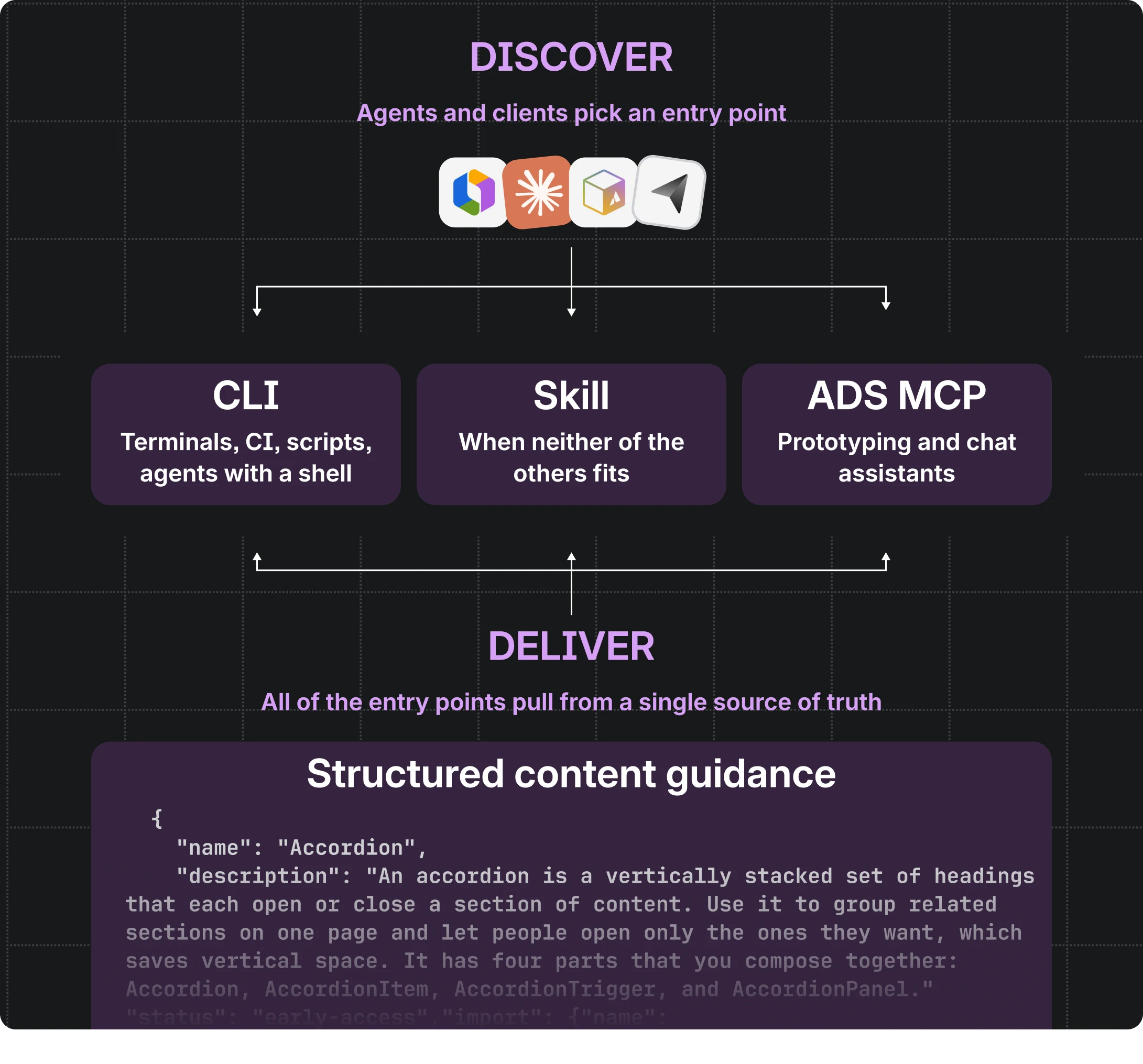
The core of Atlassian’s strategy lies in the creation of a "single source of truth" for design guidance. This involves translating traditional documentation—component APIs, usage guidelines, design tokens, icons, accessibility rules, and linting requirements—into typed schemas that reside alongside the actual source code. This structured content is not merely a collection of static documents but a dynamic dataset that can be queried by various tools. Until recently, AI agents accessed this data primarily through two channels: a specialized agent skill and an MCP server. However, the introduction of the CLI addresses specific accessibility gaps in the developer ecosystem.
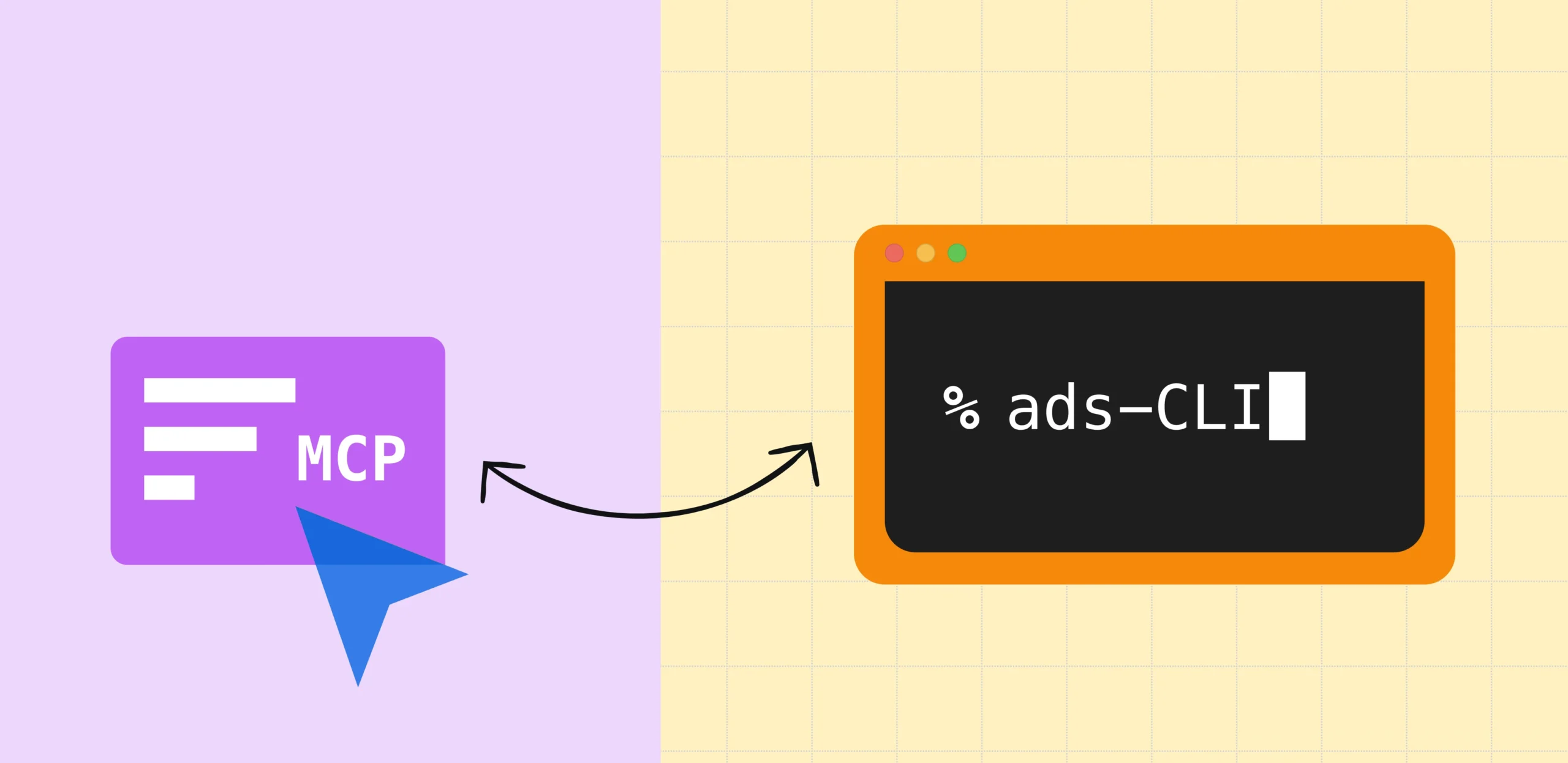
The decision to develop a CLI was driven by the realization that MCP servers, while powerful, are not universally supported across all developer tools and coding environments. While MCP-capable hosts like web-based assistants and certain integrated development environments (IDEs) are becoming more common, many terminal-based agents and automation scripts lack an MCP client. A CLI provides a universal entry point; any agent with access to a terminal can execute a command without requiring a complex client setup. This approach mirrors Atlassian’s existing platform architecture, where the Rovo MCP server serves web and IDE hosts, while the Teamwork Graph CLI handles terminal and automation workflows.
A notable aspect of the CLI’s rollout was the speed of its initial development, with the first version shipped in less than a week. Atlassian attributes this efficiency to the robust infrastructure already established for its other agentic tools. Because the design system’s documentation was already restructured into typed schemas and the search and ranking logic was housed in shared, independent modules, the CLI did not require the re-implementation of core handlers. Instead, the development team focused on terminal-specific features, such as argument parsing, human-readable output, and JSON formatting for machine consumption.
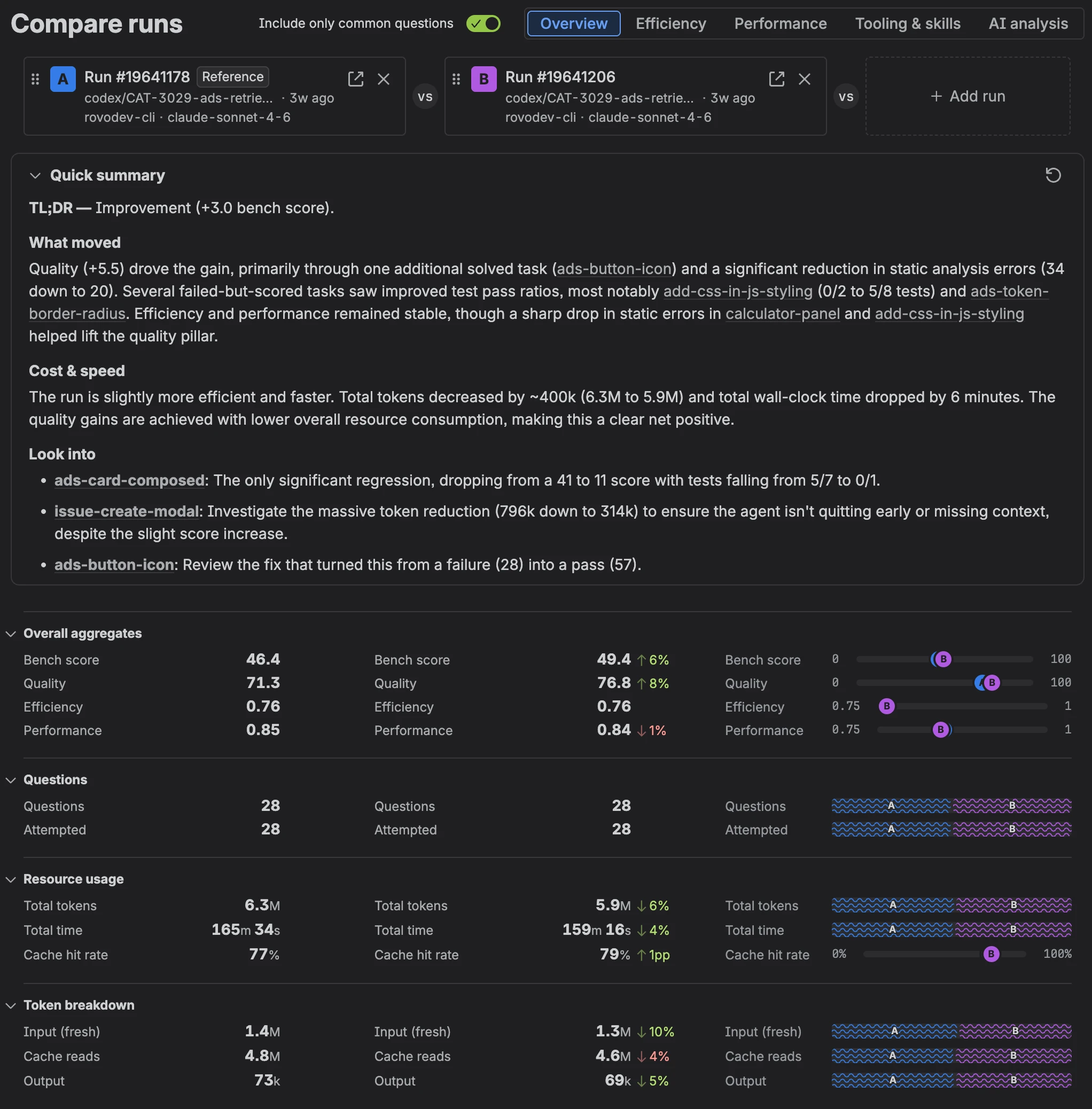
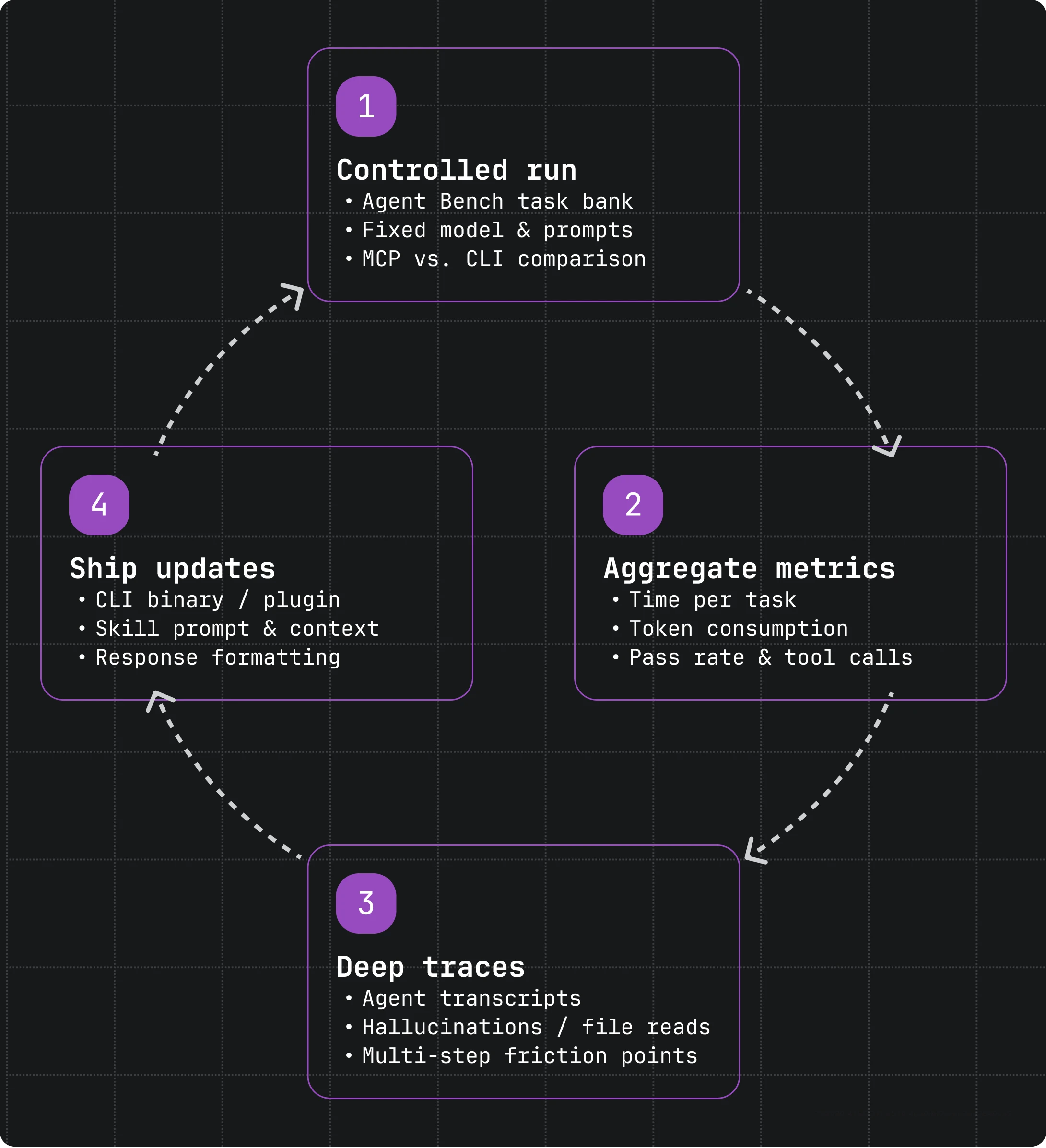
Despite the rapid development, Atlassian did not immediately replace its existing tools with the CLI. Instead, the company treated the rollout as a controlled experiment, utilizing an internal agent benchmark to compare the CLI’s performance against the established MCP server. This benchmark consisted of a series of real-world front-end development tasks, each graded automatically to ensure objective results. The testing monitored several key metrics, including task pass rates, time per task, token consumption, and the frequency of tool calls.
The benchmarking process revealed several areas where the initial CLI implementation required optimization. One primary concern was the startup overhead associated with using "npx" to run the tool. In a large monorepo environment, the process of downloading and booting the package on every call added over 15 seconds of latency. For agents making multiple queries, this overhead often exceeded the time spent on the actual task. To resolve this, Atlassian integrated the tool into its internal "atlas" CLI as a pre-installed plugin, reducing startup time from seconds to milliseconds. The "npx" method was retained only as a fallback for environments where the internal CLI is unavailable.
Further analysis of agent transcripts showed that AI models often made multiple round trips to fetch related pieces of information, such as checking a component API and then searching for a specific design token. To mitigate this, Atlassian introduced a "batch" command and enhanced fuzzy search capabilities. These updates allowed agents to consolidate their queries into a single execution, further reducing latency and minimizing the number of distinct tool calls required to complete a task.
The researchers also observed that agents occasionally struggled to filter through large sets of data, such as a long list of design tokens. In some cases, the agents would revert to reading raw source files or repeatedly calling "help" commands, which increased token usage and the risk of error. To guide the agents more effectively, Atlassian modified the CLI output to include explicit "next step" suggestions. For example, if a search for "button" returned multiple results, the CLI would provide the exact command strings needed to inspect a specific component or its properties. This proactive guidance reduced the need for the LLM to guess the correct syntax, leading to more predictable agent behavior.
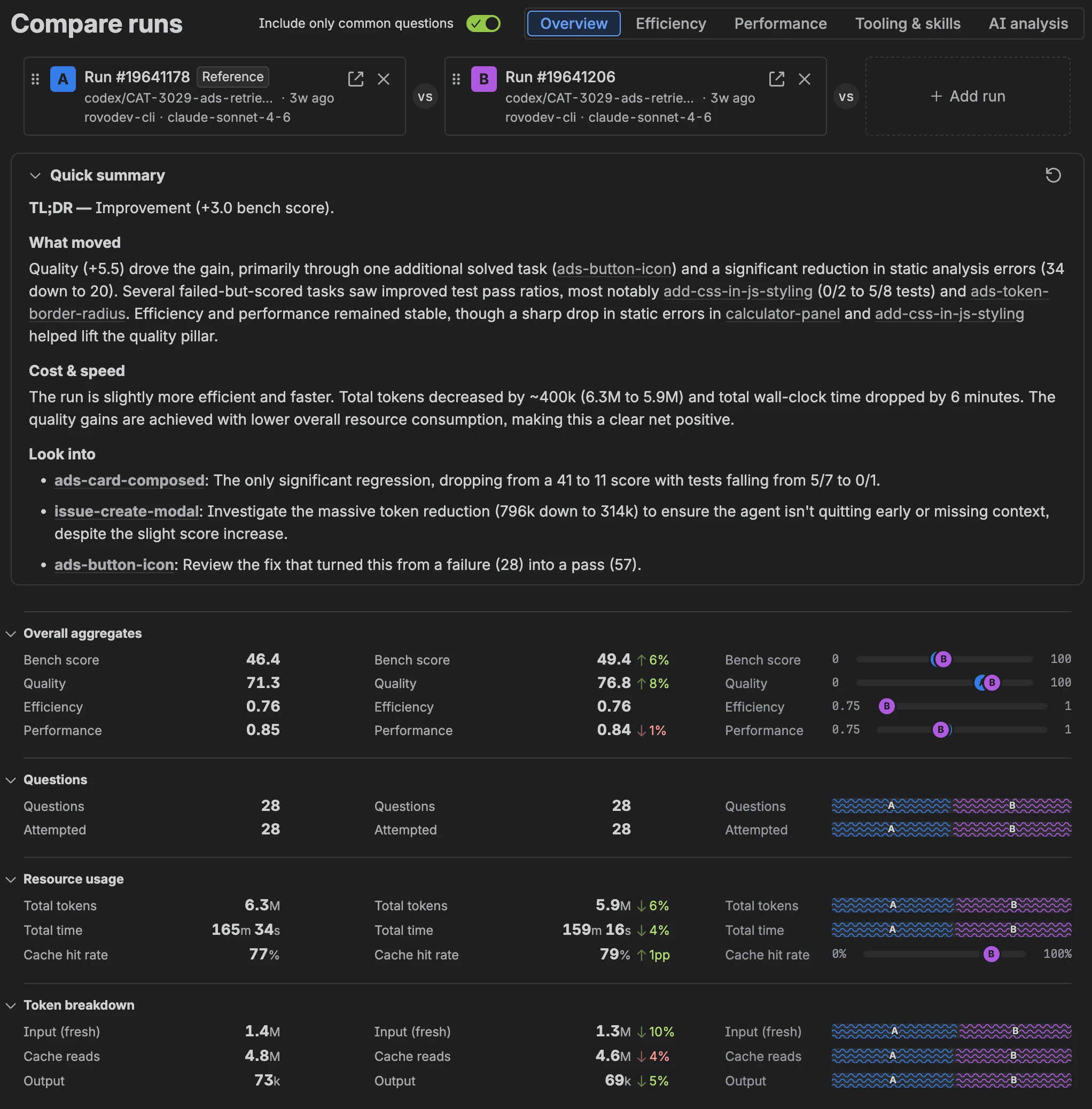
The results of these optimizations were substantial. In head-to-head comparisons between the "Skill + CLI" configuration and the "Skill + MCP" baseline, the CLI-based approach demonstrated a 25% improvement in speed and a 35% reduction in token costs. Importantly, these efficiency gains were achieved without sacrificing the quality of the output; the CLI maintained the same pass rates as the MCP server while proving to be more reliable in environments where terminal access is the primary interface.
As a result of these findings, Atlassian’s agent skill now defaults to using the CLI command for fetching design system context, falling back to the MCP server only when terminal access is restricted. This shift underscores a broader trend in AI development: the importance of providing multiple, optimized interfaces to the same underlying data. By decoupling the design system’s logic from its delivery mechanism, Atlassian has ensured that its guidance remains portable and resilient to changes in AI interface standards.
The Atlassian team has shared several insights for other organizations looking to build agent-friendly infrastructure. First, they emphasize that the underlying content is the most critical component; design systems should be built as structured data from the outset. Second, they advocate for a "one source, many entry points" architecture, where shared logic modules power various tools to prevent data drift. Third, they highlight the necessity of benchmarking, noting that transcripts are often more valuable than dashboards because they reveal whether an agent is following instructions or bypassing them by reading source code directly. Finally, they suggest that developers should provide agents with "hints" for their next commands within the tool output itself to streamline workflows.
The Atlassian Design System CLI is currently available to the public via npm as @atlaskit/ads-cli. For developers working in environments where a shell is not accessible, the same structured content remains available through the @atlaskit/ads-mcp server. While the specific ADS Skill remains an internal Atlassian tool for the time being, the company’s work suggests a future where design systems are not just websites for humans to read, but high-performance APIs for agents to consume. As AI agents continue to proliferate across different platforms and IDEs, the ability to deliver consistent, high-quality design context through various channels will become a fundamental requirement for modern software development.