11

For many long-time iPhone users, Apple’s built-in Shortcuts app has often remained an underutilized feature, perceived as a powerful but intimidating tool requiring a degree of scripting knowledge to automate tedious tasks. This barrier to entry, characterized by the overwhelming nature of threading actions and triggers, frequently deterred users from exploring its full potential. However, the forthcoming iOS 27 update, currently in beta, is poised to dramatically transform this perception, making Shortcuts a streamlined and indispensable part of the iPhone experience, according to early testers. What was once seen as clunky and forgotten is now evolving into a core, essential utility.
While the wider rollout of iOS 27 this fall is anticipated to introduce significant advancements to Siri AI, including improved capabilities and a standalone application, it is the profound integration of Apple Intelligence into the Shortcuts app that is drawing particular excitement from those familiar with the beta. This integration promises to elevate Shortcuts from a niche tool for tech-savvy users to an accessible platform for personal automation, reminiscent of a dramatic transformation in capabilities, as one reviewer likened it to the "Zero to Hero" journey from Disney’s Hercules. This shift marks a strategic move by Apple to democratize the power of automation, making it available to a broader audience without the need for intricate coding or technical expertise.
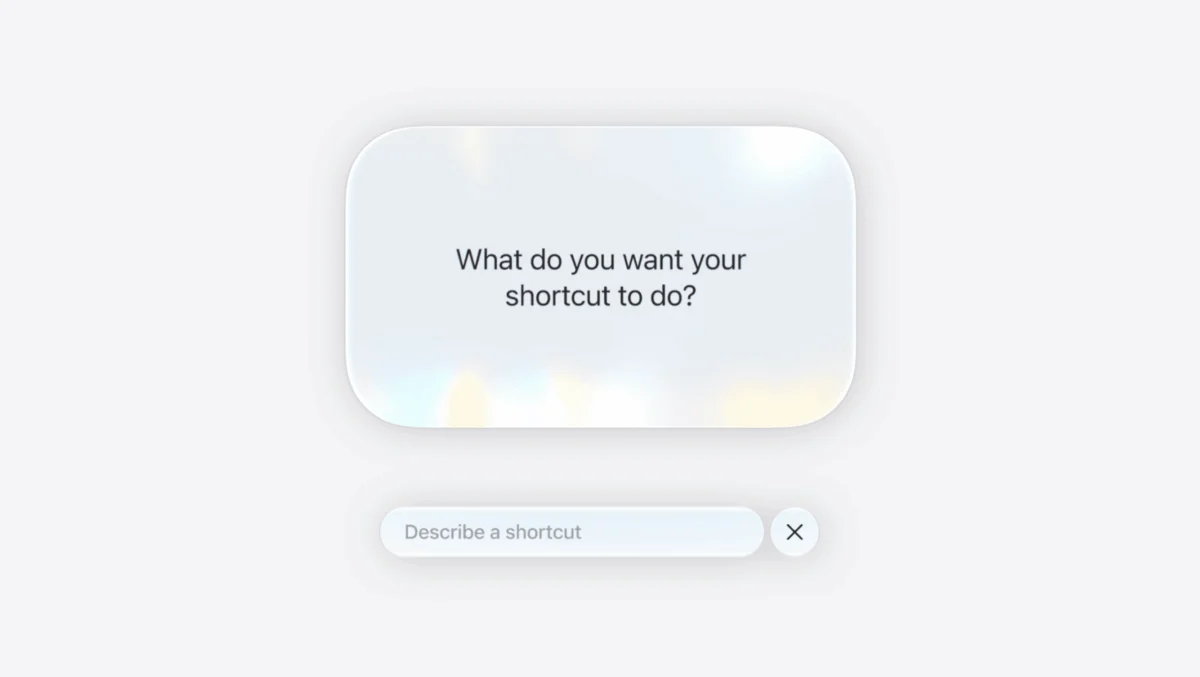
Central to this transformation is a groundbreaking new feature within Shortcuts called "Describe a Short." This innovative functionality leverages Apple Intelligence to allow users to articulate their desired automation flows using natural, conversational language. Instead of navigating complex menus or drafting scripts, users can simply describe what they want the shortcut to achieve, and the app will intelligently generate the necessary automation sequence. This intuitive approach significantly lowers the barrier to entry, making custom automations accessible to anyone capable of verbalizing a task. Furthermore, the system is designed for iterative refinement; users can provide follow-up prompts to tweak or modify the generated flow, ensuring the automation perfectly aligns with their needs. For power users who prefer granular control, the option for manual scripting remains fully available, offering a comprehensive solution that caters to all levels of technical proficiency. While the beta phase of "Describe a Short" saw a few instances where automations didn’t generate flawlessly, the overall experience was described as incredibly engaging and productive. Testers reported that with just a few attempts, they were able to create useful automations that seamlessly integrated into their daily smartphone habits, proving the feature’s immense potential.
The practical applications of this enhanced Shortcuts app are vast and varied, touching upon diverse aspects of daily life. Early examples from the iOS 27 beta illustrate how users can leverage these new capabilities to streamline routines, foster healthier habits, and enhance overall efficiency.

Habit Breaking: A Digital Nudge Towards Mindfulness
One of the most immediate and impactful uses identified is in personal habit management. In an era of pervasive digital distractions, particularly from social media, users often find themselves mindlessly reopening apps like Instagram, even when intending to focus on other tasks. To counteract this, a basic yet highly effective automation was created. This shortcut triggers whenever the user opens Instagram, presenting a pop-up notification that asks, "Do you really want to use this app?" If the user consciously chooses "yes," the app proceeds as normal. However, if "no" is selected, the phone automatically closes Instagram and locks the screen. While not a radical solution to screen time reduction, this simple, personalized nudge serves as a valuable intervention, disrupting repetitive, unthinking habits and encouraging more mindful smartphone engagement. This demonstrates how even minor automated prompts can significantly influence daily behavior patterns.
Proactive Environmental Monitoring: Air Quality at a Glance
For individuals living in regions prone to environmental concerns, such as California with its fluctuating air quality, daily vigilance is often necessary. Manually checking the Air Quality Index (AQI) before leaving home to determine the need for a mask is a common but repetitive task. Shortcuts in iOS 27 offers a solution to automate this vital check. A personalized shortcut can be set to run every morning at a specific time, for instance, 6:40 am. This automation first checks the current local weather conditions and then specifically retrieves the air quality index for the user’s neighborhood. Based on a predefined threshold, the system then sends a notification: an alert if the AQI is above the specified limit, prompting the user to consider a mask, or an "all-clear" message if the air quality is within acceptable parameters. This proactive notification system eliminates the need for manual checks, ensuring users are informed and prepared for their day with minimal effort.
Ensuring Connectivity: Smart Battery Management
The anxiety of leaving home with an insufficiently charged phone is a universal modern dilemma. Shortcuts can now alleviate this concern by leveraging location-based triggers. An automation can be configured to activate whenever the user departs from their home location. Upon triggering, the shortcut checks the device’s current battery level. If the battery charge is found to be below a predetermined percentage, such as 50 percent, a friendly notification is sent, reminding the user to grab a portable power bank. This simple yet effective automation ensures that users are always prepared for extended periods away from a charging source, preventing the inconvenience and potential safety issues of a dead phone. A quick trip back inside to retrieve a power bank is a minor inconvenience compared to being miles from home without communication capabilities.
Smart Home and Personal Routines: Effortless Plant Care
Beyond immediate practicalities, Shortcuts can also enhance personal routines, such as plant care. While dedicated plant logging apps exist, the flexibility of Shortcuts allows for a customized, integrated approach. The process involves creating two interconnected automations. First, a basic shortcut is designed to capture the current date and time and append this information to a dedicated "plant watering" note, effectively creating a consistent log. This shortcut can then be added as an icon to the iPhone’s Home Screen, allowing users to log their watering activity with a single tap after completing the chore. To further enhance this, a second, complementary shortcut can be established. This automation runs every morning at a set time (e.g., 9:00 am) and reviews the plant watering log. If it detects that no modifications have been made to the log within the last week, it sends a proactive notification reminder to the user to check on their plants. This two-pronged approach ensures both easy logging and timely reminders, keeping plants healthy without requiring constant manual tracking.
Streamlining Digital Workflows: Instant Text Extraction
For users who frequently capture screenshots, particularly those who are "chronically online" and regularly save visual information, the process of extracting text from these images can be cumbersome. Traditionally, this involves saving the screenshot, manually opening the Photos app, and then using its features to copy text. Shortcuts in iOS 27 offers a significant improvement: an automation can be set up to trigger every time a screenshot is taken. This shortcut automatically extracts any discernible text within the newly captured image and copies it directly to the user’s clipboard. This eliminates multiple manual steps, dramatically simplifying the workflow for information gathering and making digital content interaction more efficient.

Seamless Communication: Post-Flight Updates
Travel often introduces moments of distraction, leading to missed communications. For individuals who travel frequently, especially without a partner, forgetting to send updates upon arrival is a common oversight. An elegantly simple shortcut addresses this by automating a routine post-flight notification. The automation is configured to trigger every time the iPhone’s airplane mode is turned off. Upon activation, it automatically sends a pre-composed "just landed" text message to a designated contact, such as a partner. During the setup process, the app prompts the user to select the specific contact. This easy automation provides peace of mind for both the traveler and their loved ones, ensuring timely communication without requiring the traveler to remember during the often-distracting process of deplaning.
Enhanced Awareness and Accessibility: Sound Recognition
For users who frequently wear headphones, especially in a work-from-home environment with loud music or podcasts, the concern of missing important sounds like a doorbell or a knock can be significant. Shortcuts, in conjunction with iOS accessibility features, provides an ingenious solution. This automation requires an initial setup within the iPhone’s Accessibility settings. Users navigate to "Sound & Name Recognition" and enable recognition for specific sounds, such as "Door Bell" and "Door Knock." Since a basic notification might not be heard over headphones, the shortcut is designed to "beef up" this alert. When the iPhone recognizes either a doorbell or a door knock sound, the automation triggers an action to pause whatever media is currently playing. This allows users to enjoy their audio content without anxiety, ensuring they are always aware of crucial sounds around them, thereby enhancing both convenience and a sense of security.
The advancements in Apple’s Shortcuts app with iOS 27, powered by Apple Intelligence, represent a significant leap forward in personal automation. By making complex automation accessible through natural language, Apple is empowering users to tailor their devices to their unique needs and habits with unprecedented ease. From breaking digital habits and monitoring environmental conditions to managing personal routines and streamlining digital workflows, these examples only scratch the surface of what is possible. The beta experience indicates a future where the iPhone is not just a tool, but a truly intelligent assistant that proactively adapts to and improves the daily lives of its users.