 11
11
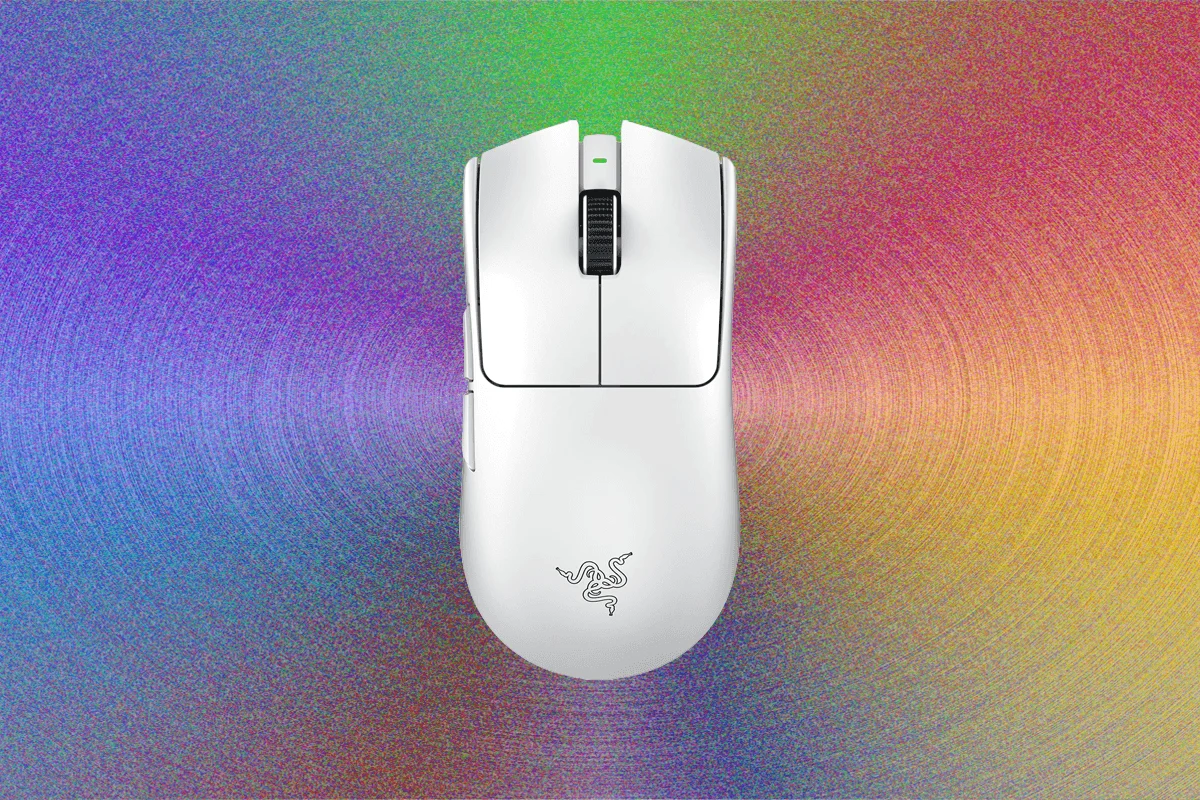
For competitive and casual gamers alike, the right peripherals can significantly enhance performance and comfort. A well-chosen gaming mouse and a complementary mousepad are fundamental to a precise and responsive experience. This report details a selection of leading gaming mice, categorized by their unique features and target users, alongside highly-regarded mousepads designed to elevate your desktop setup.
Top Gaming Mice for Every Player
Corsair Sabre V2 Pro Ultralight ($130): The Featherweight Contender
The Corsair Sabre V2 Pro Ultralight stands out for its remarkably low weight of just 36 grams. Upon its initial review, its extreme lightness was a primary draw, though it garnered criticism for an overly thin shell and somewhat flimsy construction. However, these characteristics are inherent to its design philosophy, prioritizing the absolute lightest possible form factor. It remains an excellent choice for gamers who are prepared to make sacrifices in material robustness for the singular benefit of unparalleled lightness, echoing car designer Colin Chapman’s adage of "simplifying and adding lightness." While its minimalist construction might not appeal to users seeking a substantial or premium feel, it excels for those whose primary concern is the fastest, most unencumbered movement possible in competitive gaming scenarios.

Corsair Sabre V2 Carbon Fiber and Magnesium ($170): Premium Durability
Moving beyond extreme lightness, the Corsair Sabre V2 also offers premium variants crafted from carbon fiber and magnesium. These models, weighing in just under 60 grams, represent a significant upgrade in build quality and design sophistication. They feature a much more refined construction with high-quality materials, providing a rigidity and tactile feel that often surpasses Corsair’s mainstream competitors. While their raw performance specifications might slightly trail the absolute bleeding edge, their robust chassis ensures they can withstand extensive use and provide a satisfying, sturdy feel during intense gaming sessions. For most users, the less expensive magnesium chassis is generally recommended, offering superior sturdiness and a distinct aesthetic appeal over the carbon fiber option, unless the specific look or engineering of carbon fiber is a strong personal preference. These mice cater to gamers who value durability and a premium feel alongside competitive performance.
Logitech Pro X Superlight 2 Dex ($160): Proven Performance and Value
The Logitech Pro X Superlight 2 Dex, released over a year prior to the Razer Deathadder V4 Pro, maintains its status as a highly capable gaming mouse. While its specifications may slightly lag behind newer models, its ergonomic and comfortable shape, combined with robust internal components, still delivers fantastic performance for all but the most demanding professional players. A significant advantage of this model is its availability at often substantial discounts, making it a compelling option for those seeking high-end performance without the premium price tag of the latest releases. It is particularly well-suited for gamers who appreciate Logitech’s established software ecosystem, signature styling, and proven reliability. This mouse offers a balance of comfort, performance, and value, making it a strong contender in the competitive gaming mouse market.
Corsair Scimitar Elite Wireless SE ($80): The Macro Master
In an era where many MMO-focused mice have faded from the spotlight, the Corsair Scimitar Elite Wireless SE offers a modern take on the classic design, tailored for games requiring extensive macro capabilities. This mouse distinguishes itself with an adjustable numpad on its side, featuring a sliding rail mechanism that allows users to customize its position to accommodate various grip styles and hand sizes. This unique adjustability ensures optimal comfort and accessibility for the numerous programmable buttons. While the Scimitar Elite Wireless SE may not compete with other mice on this list in terms of sheer technical specifications or ultra-low weight, it remains an exceptionally valuable tool for specific genres. It excels in massively multiplayer online games (MMOs), real-time strategy (RTS) games, or any title where having a vast array of macros and shortcuts readily available at your fingertips is a critical advantage. At $80, it presents a specialized, feature-rich option for a dedicated niche.
Steelseries Aerox 3 ($100): Durable and Versatile
The Steelseries Aerox 3 carves its own niche by emphasizing durability and versatility, rather than solely focusing on raw speed or extreme lightness. Weighing 66 grams, it strikes a balance between lightweight design and robust construction. A standout feature is its impressive waterproof rating, allowing it to withstand accidental spills or even a quick rinse under the sink, as verified by testing. This makes it an ideal choice for multi-user gaming setups, individuals prone to accidents, or even unconventional gaming environments like a poolside setup. Furthermore, its built-in Bluetooth connectivity offers freedom from dongles, enhancing its portability and ease of use across multiple devices. While its 1000 Hz polling rate and 18,000 DPI may not match the absolute highest performance metrics of some competitors, the Aerox 3 offers a compelling package for those prioritizing durability and flexible connectivity without a significant compromise in performance, especially given its $100 price point.

Logitech G203 ($27): The Budget-Friendly Performer
For gamers operating on a budget, the Logitech G203 proves that affordability doesn’t necessarily mean sacrificing essential features or a quality experience. Unlike many budget gaming mice that often feel lacking in conveniences or performance, the G203 delivers a surprisingly robust package. While its optical sensor offers a maximum sensitivity of 8,000 dots per inch (DPI), which is lower than more expensive high-end models, it is more than sufficient for the vast majority of gamers, even in competitive titles. Crucially, it features six programmable buttons, full compatibility with Logitech’s intuitive G Hub software for customization, and vibrant RGB lighting – features typically found on more expensive peripherals. The G203 provides excellent value, offering a solid foundation for aspiring gamers or those needing a reliable secondary mouse, without the premium price tag.
Razer Viper V3 Pro ($100): High-Speed, High-Value Legacy
The previous-generation Razer Viper V3 Pro continues to be a formidable choice for serious gamers, especially at its current reduced price point. This mouse embodies an uncompromising approach to lightweight design and high-speed gaming performance. Despite being a couple of years old, its specifications remain highly competitive, offering the same excellent symmetrical shape that caters to a wide range of grip styles, and some of the most satisfyingly tactile buttons on the market. Its battery life is exceptional, rated for over 95 hours of continuous use, eliminating concerns about frequent recharging. Moreover, with the included HyperPolling dongle, the Viper V3 Pro is capable of an impressive 8,000-Hz polling rate, ensuring minimal input lag and maximum responsiveness in critical moments. For gamers seeking top-tier performance and features without opting for the absolute newest (and often most expensive) model, the Viper V3 Pro represents outstanding value.
Sony Inzone Mouse-A ($148): Premium Design, Niche Challenges
Sony’s Inzone line targets an upmarket audience, a characteristic evident in the premium price and build quality of the Inzone Mouse-A, designed to complement its KBD-H75 keyboard. This mouse boasts an incredibly well-made construction with competitive specifications. At only 48 grams, it is one of the lightest mice available, yet it manages to feel far more premium than many other ultralight models, thanks to its soft-touch plastics and impressive rigidity. The mouse buttons offer a satisfying, subtle click, and its simple, non-sculpted shape is comfortable for both left and right-handed users, although its side buttons are positioned for right-handed use only. However, the Inzone Mouse-A presents notable drawbacks, including issues with wireless connectivity and battery life, with reports of significant drain even when disconnected. The mouse wheel design also falls short, featuring excessive space between "bumps," which can lead to missed inputs during scrolling. Furthermore, like all soft-touch coated devices, there’s a potential concern for wear over time, which could expose unsightly spots of plastic.
Enhancing Your Setup: Recommended Mousepads

A high-quality mousepad is often an overlooked yet highly impactful upgrade for any PC gaming setup. It provides a dedicated, optimized surface that drastically reduces friction, allowing for quicker, more precise mouse movements and a smoother overall experience.
Harber London Professional Leather Desk Mat ($239): Luxurious Glide
The Harber London Professional Leather Desk Mat offers a luxurious and durable surface for your peripherals. Even after over a year of consistent use, this leather mat maintains its exquisite appearance. The pebbled leather is supple, providing a pleasing texture while simultaneously allowing mice to glide effortlessly across its surface. Available in three sizes and three sophisticated colors, it not only enhances mouse performance but also adds a touch of refined elegance to any workspace. Its long-term durability and premium feel make it a worthwhile investment for those seeking both functionality and high-end aesthetics.
SteelSeries QcK Mouse Pad ($11): The Reliable Standard
The SteelSeries QcK Mouse Pad is a perennial favorite for good reason. Its medium size is ideally suited for most desk configurations, offering ample space for mouse movement without overwhelming smaller workspaces. Renowned for its quality construction, the QcK is highly durable and resists fraying at the edges, a common issue with cheaper mousepads that can quickly detract from a workstation’s aesthetic. This reliability, combined with its optimized surface for tracking and control, makes it an excellent, affordable choice for gamers who prioritize consistent performance and longevity.
Grovemade Wool Felt Desk Pad ($70): Unexpected Gaming Elegance
Breaking from traditional gaming accessories, the Grovemade Wool Felt Desk Pad offers a unique blend of comfort and performance. This large wool felt pad, crafted by a Portland, Oregon company, comfortably accommodates both a keyboard and mouse with room to spare. Its soft and plush surface provides exceptional wrist comfort, while surprisingly allowing gaming mice to glide as if on glass. This unexpected synergy of material and function makes it a remarkable choice. Beyond its tactile and performance benefits, the felt desk pad injects an air of sophistication and subtle style into any desk setup, without appearing overly formal. Its natural color palette also looks particularly striking under RGB lighting in a darkened room, making it an easy and affordable way to introduce distinctive style into both work and play environments.

Understanding Gaming Mouse Essentials
Choosing the right gaming mouse involves understanding several key technical features and ergonomic considerations.
Key Features of a High-Performance Gaming Mouse
Ergonomics and Grip: Finding Your Perfect Fit
The physical dimensions and shape of a gaming mouse are as critical as its technical specifications, directly impacting comfort, control, and long-term health. Using a mouse that is either too small or too large for your hand can lead to discomfort, strain, and reduced precision. Understanding your hand size and preferred grip style is therefore paramount.

There are three primary mouse grip styles:
For standard-sized mice intended for a palm grip, measuring the distance from the tip of your middle finger to the bottom of your palm is a good starting point. Online resources like Rocket Jump Ninja provide comprehensive guides and cross-referencing tools. Alternatively, holding your hand in a natural arc, as if gripping a mouse, and measuring from the base of your palm to your fingertips can offer a direct comparison to mouse length. For claw grip users, it’s often advisable to select a mouse that is a few millimeters longer than your measured hand size, as the palm rests more directly on the mouse.
When considering compact or fingertip-grip specific mice, such as the Razer Basilisk Mobile or G-Wolves Fenrir, traditional length measurements may be less relevant. Instead, comparing the mouse’s width to the comfortable span between your thumb and pinky (or ring finger) is more effective. A mouse that is too narrow can cause hand strain, while one that is too wide may be difficult to grip securely and maneuver effectively.
Ultimately, the choice of gaming mouse and mousepad is a personal one, deeply influenced by individual preferences, playstyle, and ergonomic needs. By carefully considering these factors, gamers can build a setup that maximizes their potential and enhances their overall enjoyment.