 11
11
The perennial challenge of online security persists, even in 2026: strong passwords are inherently difficult to recall, while memorable ones are often ineffective. This dilemma frequently leads users to prioritize convenience, resulting in widespread use of weak passwords like "password," "123456," and "admin." This prevalent security vulnerability underscores the critical need for robust solutions.
Fortunately, modern technology offers a practical answer: password managers. These tools eliminate the burden of memorizing hundreds of complex, unique 16-character strings, providing secure access to them whenever and wherever needed. This guide, updated in August 2026, details the leading password managers based on recent testing and their evolving capabilities, particularly with the advent of passkeys.
The Fundamental Role of a Password Manager
At its core, a password manager simplifies digital security. Instead of users retaining countless passwords, the manager stores and encrypts them behind a single, strong master password. This master password becomes the sole credential a user needs to remember, unlocking a secure vault containing all other login details. This system facilitates the use of long, random, and unique passwords for every account, drastically enhancing security.

Beyond basic storage, the best password managers employ sophisticated security architectures, often based on a "zero-knowledge" or "zero-access" model. This means that passwords are encrypted on the user’s device before being transmitted and stored on the provider’s servers, rendering them inaccessible and undecryptable by the service provider itself. Some services, like 1Password, further bolster this by requiring a device-bound key for new device setups.
For user convenience, password managers integrate seamlessly across devices, offering features like autofill for login forms and automatic credential capture when new accounts are created. Users can also opt for self-hosting options, such as Bitwarden’s local server installation or Enpass’s ability to sync with personal cloud storage, providing ultimate control over data. While self-hosting offers superior security with a well-secured network, direct syncing with general cloud storage providers should be approached with caution.
Browser-Based Password Managers: A Limited Alternative
Many web browsers include rudimentary password managers, which, while better than reusing passwords, come with significant limitations. They are generally less secure and feature-rich than dedicated solutions. Passwords stored in browsers, though encrypted, can be trivially decrypted if an unauthorized individual gains access to the computer. For optimal security, especially on shared or potentially compromised machines, browser-based managers should be avoided.
Apple’s password management system, integrated with iCloud and Safari, offers a viable, free option for users exclusively within the Apple ecosystem. It provides decent security and syncing across Apple devices but lacks cross-platform compatibility, making it impractical for users with non-Apple devices.
-SOURCE-Bitwarden.jpg)
The Rise of Passkeys and Passwordless Authentication
A concerted industry effort, led by the FIDO Alliance and popularized by Apple’s "passkeys," aims to eventually eliminate traditional passwords. Passkeys are device-generated cryptographic keys, secured by biometrics or PINs, that replace passwords for website logins. They operate on a public-key cryptography model: a website sends a public key to the user’s device, which then verifies it against a private key stored locally. If they match, the user is authenticated.
This system significantly enhances security by removing the need for users to remember or input passwords, thus mitigating risks like phishing and credential stuffing. While passkeys are not a radical departure in cryptographic principle (similar to GPG keys), their pre-installation and ease of use on modern devices offer a substantial security improvement for the general public.
Crucially, most leading password managers, including Bitwarden, 1Password, Proton Pass, and Dashlane, now support passkey storage and synchronization. This allows users to store passkeys alongside traditional passwords, accessing them across all devices. Some, like Bitwarden, even allow users to log into their password vault using a passkey, effectively eliminating the master password for the vault itself. Passkeys represent a step towards a passwordless future, but in the interim, password managers remain essential tools, even if only to manage these new cryptographic keys.
Leading Password Managers of 2026

Bitwarden: Best Password Manager for Most People
Bitwarden stands out as a highly recommended choice due to its security, open-source nature, and robust free tier. It offers unlimited logins and device support, with polished, user-friendly applications across Windows, macOS, iOS, Linux, Android, and all major web browsers. Its open-source code allows for public inspection, fostering transparency and continuous improvement, further reinforced by regular third-party security audits. Advanced users can also self-host their Bitwarden server.
Bitwarden supports modern authentication methods, including Windows Hello, Touch ID, passwordless login via one-time codes, biometrics, or security keys. It boasts excellent passkey support, even allowing users to log into their Bitwarden vault with a passkey. Additional features include secure file sharing (Bitwarden Send), a paid built-in 2FA authenticator, and an active community forum. Its semi-automated password fill-in is intuitive, allowing users to select credentials from a list, though fully automated autofill is also available. Bitwarden Premium, at $10 per year, adds 1 GB of encrypted file storage, advanced 2FA options (YubiKey, FIDO U2F, Duo), and detailed password hygiene reports.
Proton Pass: Best Free Password Manager
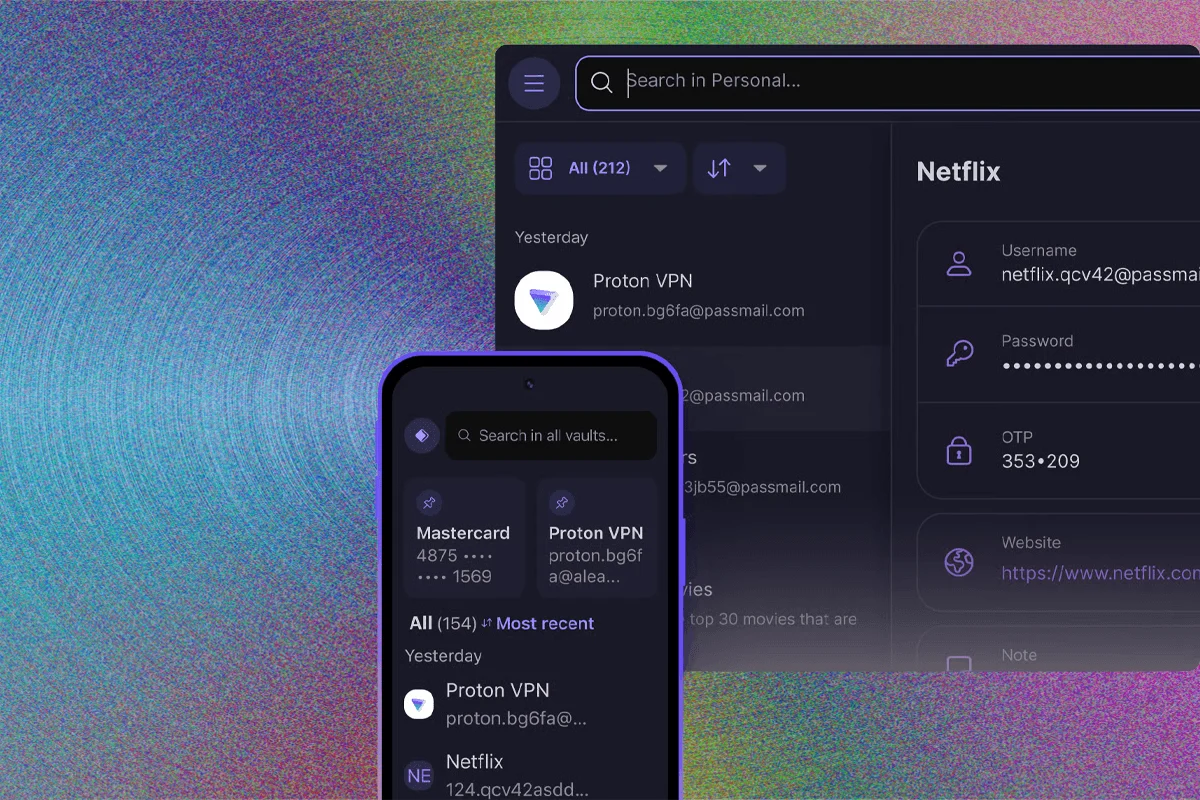
Proton Pass has rapidly ascended to the top of the free password manager category, leveraging Proton’s established reputation for security and privacy (known for Proton Mail and VPN). Its free plan is remarkably comprehensive, offering unlimited logins, unlimited devices, apps for all platforms, a password generator, passkey support, password testing, and 10 email aliases for privacy protection. Like Bitwarden, its apps and extensions are open source, enhancing trust. Proton Pass’s Pass Monitor feature identifies weak or breached passwords, adding a crucial layer of security. Paid plans (Pass Plus or Proton Unlimited) offer additional features like 2FA and online storage.
Keeper: Best for Sharing Passwords
While generally more expensive, Keeper excels in password sharing, making it ideal for teams and families. Its enterprise-focused design allows for creating folders with granular permissions, similar to Google Drive, for secure internal sharing. External sharing is also robust, with options for one-time share links and self-destructing records. Keeper scales from small businesses to large institutions, with pricing reflecting its advanced capabilities and enterprise-grade features, though its free version is less feature-rich than others.
1Password: Another Good Password Manager
1Password offers a comprehensive suite of features and a polished user experience across all major platforms and browsers, including a command-line tool. A standout feature is its "Travel Mode," which allows users to temporarily remove sensitive data from devices before crossing international borders, restoring it afterward. 1Password enhances security with a unique two-key system (master password plus a generated secret key), though users must safeguard this secret key carefully. It also functions as an authenticator app, stores passkeys, and provides tight integration with mobile apps for seamless autofill, particularly on iOS.
-SOURCE-Nordpass-(cropped).jpg)
Dashlane: Best Full-Featured Manager
Dashlane provides a rich set of features, operating on a zero-knowledge system with AES 256-bit encryption. While it no longer offers a dedicated desktop app, its browser extensions and mobile apps are highly functional. Dashlane distinguishes itself with advanced security features, including Site Breach Alerts, dark web monitoring for compromised personal data, and a Phishing Alert system that prevents credential entry on spoofed URLs. This phishing protection is particularly valuable for less tech-savvy users. Dashlane also includes a VPN (powered by Hotspot Shield, though its performance has been noted as slow in independent tests) and offers a 30-day free trial.
NordPass: Best for Bundled Services
From Nord Security, known for NordVPN and NordLocker, NordPass offers a solid password manager that integrates well within their ecosystem. It employs a zero-knowledge architecture and uses XChaCha20 encryption, a secure and potentially faster alternative to AES-256. Features include personal information storage, emergency access for trusted contacts, 2FA support, and tools for evaluating password strength and alerting to data breaches. While a free version is available for a single device, NordPass offers compelling value when bundled with other Nord Security services.
Best DIY Options (Self-Hosted)
For users prioritizing maximum data control, self-hosted password managers are an excellent choice. These services do not store data on their servers; instead, they manage a local encrypted vault that users then synchronize via third-party file-syncing services.
Enpass: Enpass operates without storing any user data on its servers. Users sync their vaults via services like Dropbox, Google Drive, OneDrive, iCloud, Box, Nextcloud, WebDAV, or local WLAN. It offers apps for every platform and includes auto-generating passwords, breach monitoring, biometric login, autofill, storage for credit cards and ID, password audits, and passkey support. Enpass is free on desktop platforms, with mobile versions offering free storage for up to 25 items.
KeePassXC: A popular open-source fork of KeePass, KeePassXC stores passwords in an encrypted digital vault protected by a master password, a key file, or both. Users manage their database file and sync it via file-syncing services. While it lacks official mobile clients, third-party apps are available for iOS (Strongbox) and Android (KeePass2Android), making it a solid choice for advanced users comfortable with managing their own support.

Other Password Managers We’ve Tested
Password Managers to Avoid
Why (and How) to Use a Password Manager: Essential Security Practices
Utilizing a password manager is a fundamental step toward better digital hygiene. It consolidates all passwords behind a single, robust master password (which can be generated using methods like Diceware for enhanced strength). The comprehensive system, including apps and browser extensions, helps users create, store, and evaluate password security across all devices, with encrypted data syncing securely.
Password managers are invaluable for mitigating the impact of data breaches. They alert users to potentially compromised passwords and facilitate quick changes, as well as identify reused credentials. The growing support for passkeys further streamlines secure logins. For enhanced security, it’s advisable to disable automatic form-filling in password managers, as this feature has historically created vulnerabilities. Finally, while software flaws can occur, reputable password managers are built with zero-knowledge architectures, meaning that even if their servers are compromised, attackers only gain access to encrypted, unusable data, not plain-text passwords.
When evaluating password managers, security is paramount, but usability is a close second. The best services balance robust encryption and transparent security architectures (either through open-source code or detailed white papers) with intuitive interfaces, seamless autofill, and modern features like passkey support. The ultimate choice depends on individual needs, whether it’s the free and open-source nature of Bitwarden, the advanced sharing capabilities of Keeper, or the unique travel features of 1Password.