 11
 1
 2
 3
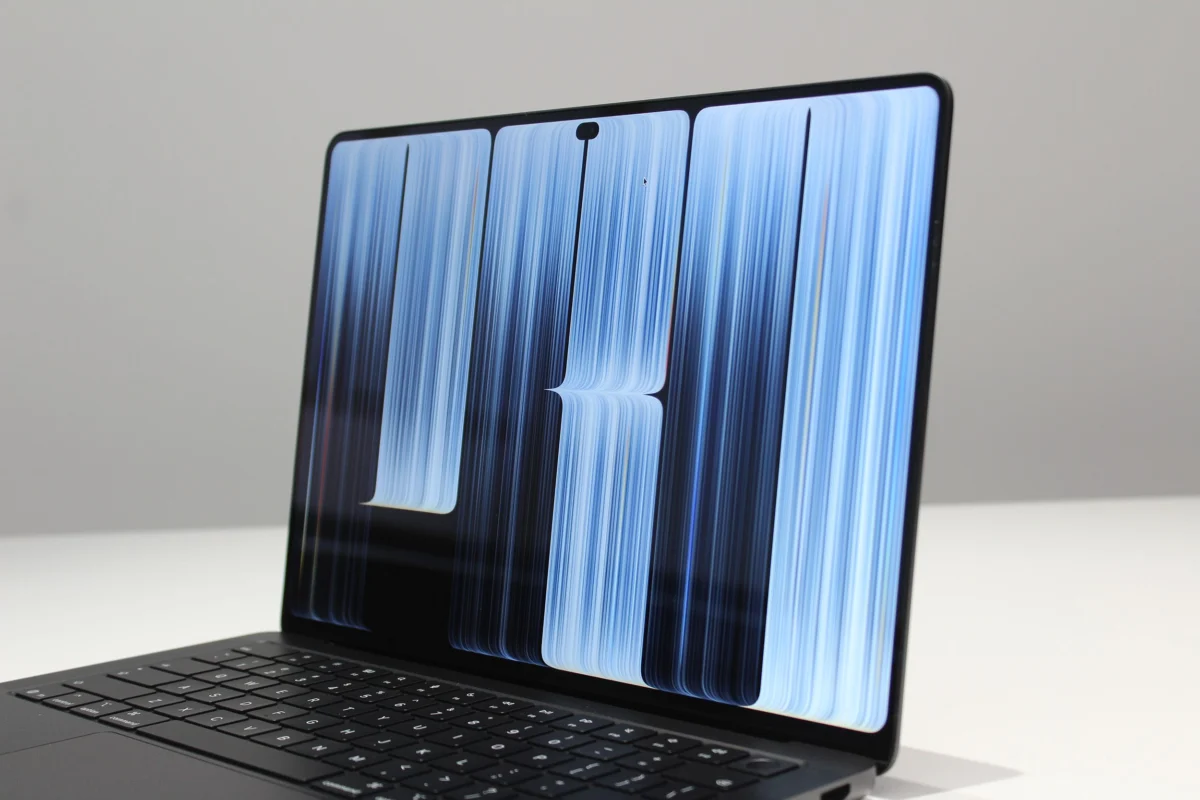
For over a decade, laptops featuring OLED screens have been a familiar sight in the consumer electronics market. These displays, celebrated for their vibrant colors and deep blacks, are now widely accessible, with touchscreen OLED machines available for as little as $700. Even Apple’s iPad Pro integrated an OLED screen in 2024, signaling a broader adoption of the technology within its ecosystem. However, despite OLED’s established presence, Apple deliberately waited over ten years to introduce its own touchscreen OLED MacBook Pro. This prolonged anticipation, as articulated by the company, was rooted in a commitment to doing things "the Apple way"—a philosophy that in this instance involved fundamentally transforming the OLED experience by achieving an unprecedented 2,000 nits of brightness, effectively addressing the long-standing challenges of brightness and glare that have historically plagued OLED laptops.
Initial observations from a recent media event in Los Angeles confirmed the display’s exceptional quality, presenting a screen that genuinely stands apart in the market.
Like No Other OLED: Introducing PROLED XDR
At the heart of the new MacBook Pro’s display innovation is a tandem OLED panel, a sophisticated layer-stacking technology previously introduced in the OLED iPad Pro. While the tandem architecture itself is advanced, the true breakthrough lies in Apple’s optimization of this panel to achieve a new peak brightness of 2,000 nits. This figure, significant on its own, becomes even more remarkable when viewed in context of industry standards. Nits serve as the universal metric for screen brightness in consumer technology. A typical budget OLED laptop often maxes out around 300 nits, while even higher-end OLED models might reach 1,000 nits—but typically only when displaying High Dynamic Range (HDR) content, such as specific streaming applications, YouTube videos, or games. This meant that for the vast majority of standard usage, these OLED screens felt comparatively dimmer than other display technologies. The iPad Pro, while impressive, could achieve 1,600 nits for HDR content and 1,000 nits for Standard Dynamic Range (SDR) content, offering a closer but still distinct performance profile.
The 2026 MacBook Pro’s screen operates on an entirely different plane. It represents a ground-up redesign of the tandem OLED layer arrangement first seen in the iPad Pro, encompassing meticulous refinements down to the manufacturing process itself. The result of this intensive engineering effort is a display capable of delivering a staggering 2,000 nits of brightness in both SDR and HDR content. This means whether users are viewing a static desktop wallpaper, browsing a website, or immersed in an HDR-compatible movie, the enhanced brightness is consistently palpable. This extraordinary capability is why Apple has reportedly designated its new display technology as PROLED XDR, a moniker intended to signify a new benchmark in display performance in a landscape where terms like "OLED" and "HDR" don’t always fully convey the quality of the user experience.
As with all technological advancements, raw numbers don’t always translate directly into a noticeable improvement for the user. However, in the realm of HDR performance, the industry has long awaited OLED’s ability to match the brightness of alternative technologies. HDR, or High Dynamic Range, is a crucial measure of a display’s ability to render color depth, brightness, and contrast. Historically, achieving superior HDR performance involved a trade-off. OLED screens excel in color control and contrast due to their ability to individually illuminate or completely switch off each pixel, rendering absolute blacks and providing unparalleled contrast. However, they traditionally struggled to achieve high peak brightness levels.
This limitation led Apple to embrace Mini-LED technology for several years in its professional-grade products, including previous MacBook Pro models and the Studio Display XDR. Mini-LED, with its thousands of local dimming zones, could achieve significantly higher brightness, making Apple’s laptops and displays industry leaders in HDR performance. With the advent of the 2026 MacBook Pro, this compromise is effectively eliminated. The new OLED screen masterfully combines both extreme brightness and infinite contrast, a synergy that is immediately apparent to the eye.
Beyond superior contrast, an OLED panel offers numerous advantages over conventional backlit displays. Mini-LED technology, while bright, often contends with an effect known as "blooming," where bright elements in an image can exhibit a halo or bleed light into surrounding darker areas, leading to a loss of fine detail. OLED technology comprehensively resolves this issue by providing pixel-level control, allowing each pixel to be precisely controlled—even completely turned off—to render perfect blacks adjacent to bright highlights without any light leakage. During the Apple event, attendees were presented with a series of high-contrast HDR images. Several of these featured expansive dark fields at their edges, creating an illusion that the image seamlessly dissolved into the display’s bezel, showcasing the technology’s immersive capabilities. A particularly striking demonstration involved a darker scene from the show Widow’s Bay in HDR, which served as an excellent testament to the profound range of detail this screen is capable of exhibiting.
The integration of this advanced OLED screen also contributes significantly to the MacBook Pro’s impressive portability. The OLED design utilizes inherently thinner and lighter materials compared to traditional backlit screens. Despite retaining the familiar aluminum chassis of its predecessors, the new 14-inch MacBook Pro now weighs a mere three pounds, marking a notable 12 percent reduction in weight. This makes the device even more appealing to creative professionals and users who prioritize mobility without compromising on performance.

A comparative demonstration pitted Apple’s new OLED display against a high-end competitive Windows laptop equipped with an OLED screen. The difference was stark, particularly concerning off-axis viewing. While the MacBook Pro maintained consistent color and brightness, the Windows machine’s display exhibited visible rainbow effects at extreme viewing angles, highlighting Apple’s superior panel quality and calibration.
However, there is a nuance to the MacBook Pro’s impressive brightness figures. While the screen is indeed capable of reaching 2,000 nits, it is typically capped at 1,000 nits for general usage. The laptop’s built-in adaptive brightness sensor dynamically adjusts the display’s luminance, boosting it up to the full 2,000 nits when environmental conditions, such as outdoor use or harsh artificial lighting, necessitate increased visibility. Previous generations of MacBook Pros also incorporated adaptive brightness features, albeit to a lesser extent. With this new model, users benefit from a baseline of 400 more nits of SDR brightness straight out of the box, with the intelligent capability to double that output when conditions demand it.
Glare, a common annoyance with conventional, lower-brightness OLED laptops, is another area where the MacBook Pro delivers substantial improvements. The deep blacks inherent to OLED can sometimes exacerbate reflections, making the screen appear mirror-like in certain lighting. While the MacBook Pro’s sheer brightness goes a long way in overpowering these reflections, Apple has further augmented this with what it describes as a "state-of-the-art" anti-reflective coating. While most laptop screens incorporate some form of anti-reflective treatment, the coating on the new MacBook Pro demonstrably performs at an exceptional level, significantly mitigating distracting reflections. For users demanding the absolute minimum glare, an optional nano-texture display upgrade is available for both the 14-inch and 16-inch models. This advanced surface treatment etches the anti-reflective pattern directly into the screen itself, rather than applying it as a layer, offering the ultimate solution for reflection reduction in challenging environments.
Reach Out and Touch It: A New Era for MacBook Interaction
Beyond the display’s visual prowess, a significant evolutionary step for the MacBook Pro is the introduction of touchscreen functionality. Like OLED itself, this feature has been a staple on many other laptop models for well over a decade. Given Apple’s past ventures into alternative input methods, such as the widely criticized Touch Bar from 2016, there was considerable anticipation regarding their approach to a full touchscreen. While the implementation feels more measured than revolutionary, its execution is undoubtedly impressive.
The tactile experience of interacting with on-screen elements is remarkably fluid and responsive, mirroring the seamless interaction familiar to iPad users. The display also intelligently supports many of the intuitive trackpad gestures that macOS users rely on, such as pinch-to-zoom for scaling content or a three-fingered swipe to navigate between Spaces. Apple has also thoughtfully integrated touch optimizations directly from iPadOS, enhancing usability. For instance, tapping the top-left window controls causes them to intelligently zoom in, allowing for more precise selection. Users can also grab a window and flick it to the side to quickly engage Split View, streamlining multitasking. A particularly clever optimization allows users to tap, hold, and slide down to select items within the Menu Bar, demonstrating a thoughtful consideration for finger-based interaction.
Despite these elegant implementations, some limitations suggest a more cautious commitment to touch on the software side. The screen does not support the Apple Pencil, a tool that has become indispensable for many creative professionals using iPads. Furthermore, the physical hardware of the MacBook Pro has not been ergonomically adjusted to make reaching up to touch the screen feel more natural or comfortable, unlike convertible laptops designed explicitly for touch interaction.
A more significant long-term challenge lies with third-party applications. While basic touch-to-click functionality will work automatically across all apps, deeper touch optimizations are entirely dependent on individual developers. During demonstrations, it was evident that even among the showcased third-party applications, the degree of touch optimization varied considerably. For example, the 3D modeling application ZBrush, while demonstrating certain touch-enabled aspects, lacked the intuitive, Apple-level optimizations seen in the company’s first-party software. This raises concerns that without widespread developer adoption, these fingers-first interactions might remain niche, primarily relegated to occasional actions like scrolling a webpage with a thumb rather than becoming a fundamental mode of interaction. Notably, Apple’s efforts in optimizing macOS for touch, even with these caveats, surpass what Microsoft has achieved in refining Windows 11 for touch, despite Microsoft’s long-standing commitment to 2-in-1 tablets like the Surface line.
With the 2026 MacBook Pro, Apple reinforces its core strategy: leading the industry through exceptional, high-end hardware innovation. While further comprehensive testing of the MacBook Pro is anticipated in the coming weeks, the PROLED XDR display, coupled with its integrated touch capabilities, already appears poised to set a new industry standard that competitors will undoubtedly strive to emulate for years to come.