 11
11
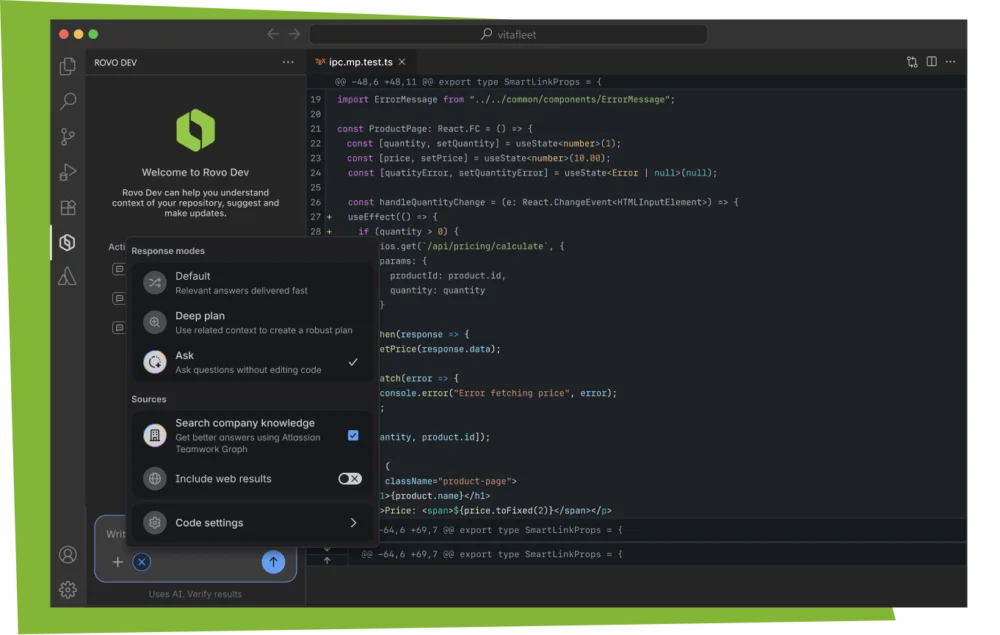
Atlassian has officially announced the general availability of Rovo Dev within Visual Studio Code (VS Code), marking a significant expansion of its AI-driven developer toolset. Integrated directly into the existing Atlassian VS Code extension, Rovo Dev is designed to serve as a context-aware AI agent that assists software engineers throughout the entire development lifecycle, from initial planning to final deployment. This release represents a strategic move by Atlassian to consolidate the developer experience, reducing the friction caused by "context switching" between disparate project management, documentation, and version control tools.
The Atlassian VS Code extension has long served as a bridge between the local development environment and Atlassian’s cloud-based services, such as Jira and Bitbucket. By introducing Rovo Dev into this ecosystem, Atlassian is evolving the extension from a simple data connector into an active participant in the coding process. Rovo Dev leverages the company’s proprietary Teamwork Graph technology to provide AI assistance that is deeply informed by the specific context of a team’s work, including their internal documentation, historical code changes, and project requirements.
The primary motivation behind the development of Rovo Dev is the persistent issue of fragmented workflows. Modern software development often requires engineers to spend a substantial portion of their workday outside of their integrated development environment (IDE). Developers frequently find themselves navigating away from their code to hunt for ticket details in Jira, search for technical specifications in Confluence, or investigate related code changes in Bitbucket or GitHub.
Industry data suggests that every instance of switching tabs or tools can disrupt a developer’s "flow state," leading to decreased productivity and increased cognitive load. When context, documentation, and code history are siloed in separate applications, the time spent searching for information can exceed the time spent actually writing code. Atlassian’s introduction of Rovo Dev aims to solve this by bringing the necessary context directly to the developer, allowing them to remain focused within VS Code.

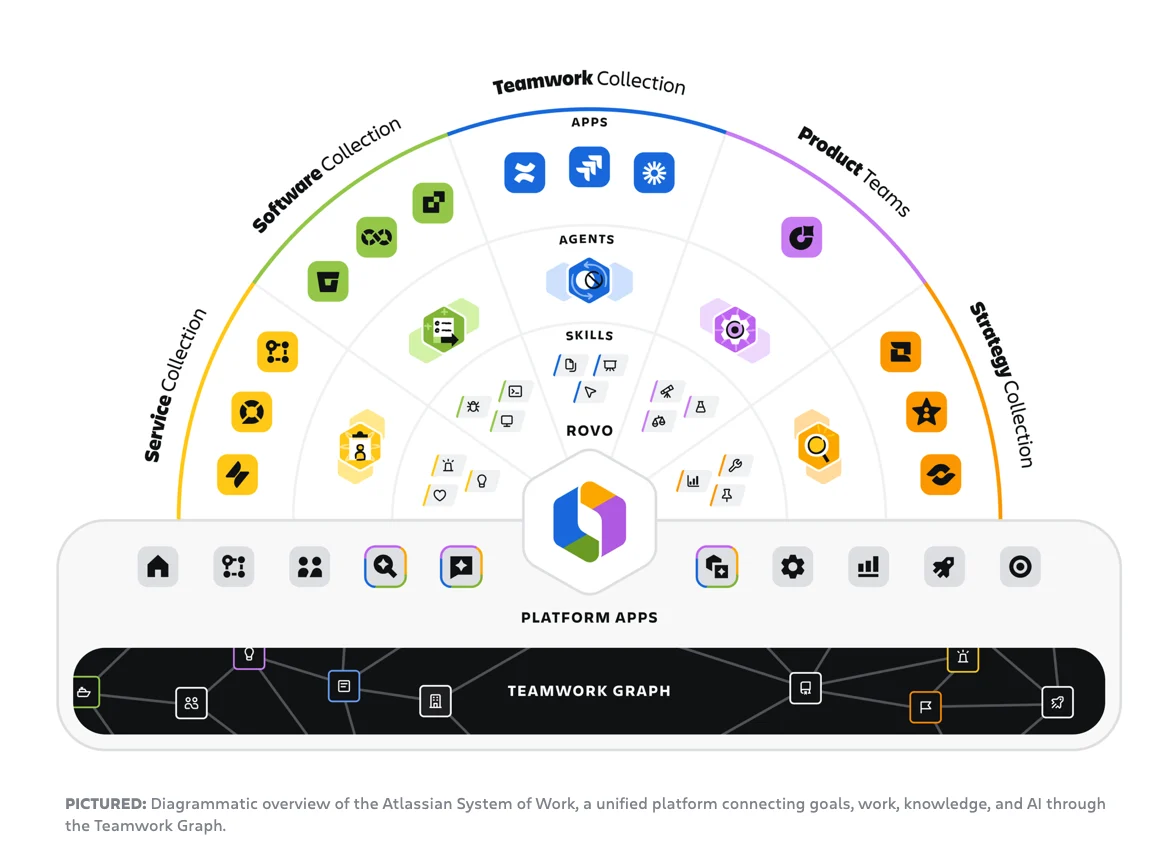
At the core of Rovo Dev’s functionality is the Atlassian Teamwork Graph. This data architecture acts as a comprehensive map of an organization’s work, connecting people, goals, projects, and knowledge across the Atlassian suite and integrated third-party applications. By tapping into this graph, Rovo Dev can provide answers and suggestions that are not just general programming knowledge, but are specifically tailored to the unique environment of the user’s organization.
Through the Jira integration, Rovo Dev can also access third-party tools like GitHub, ensuring that even if a team uses a mix of Atlassian and non-Atlassian products, the AI agent can still draw upon a holistic view of the codebase and project history. This level of integration allows the agent to understand not just what code is being written, but why it is being written, based on the linked Jira issues and Confluence specs.
Rovo Dev in VS Code delivers a native experience that automates several key aspects of the software development workflow. The tool is structured to assist in four primary areas: planning, coding, reviewing, and shipping.
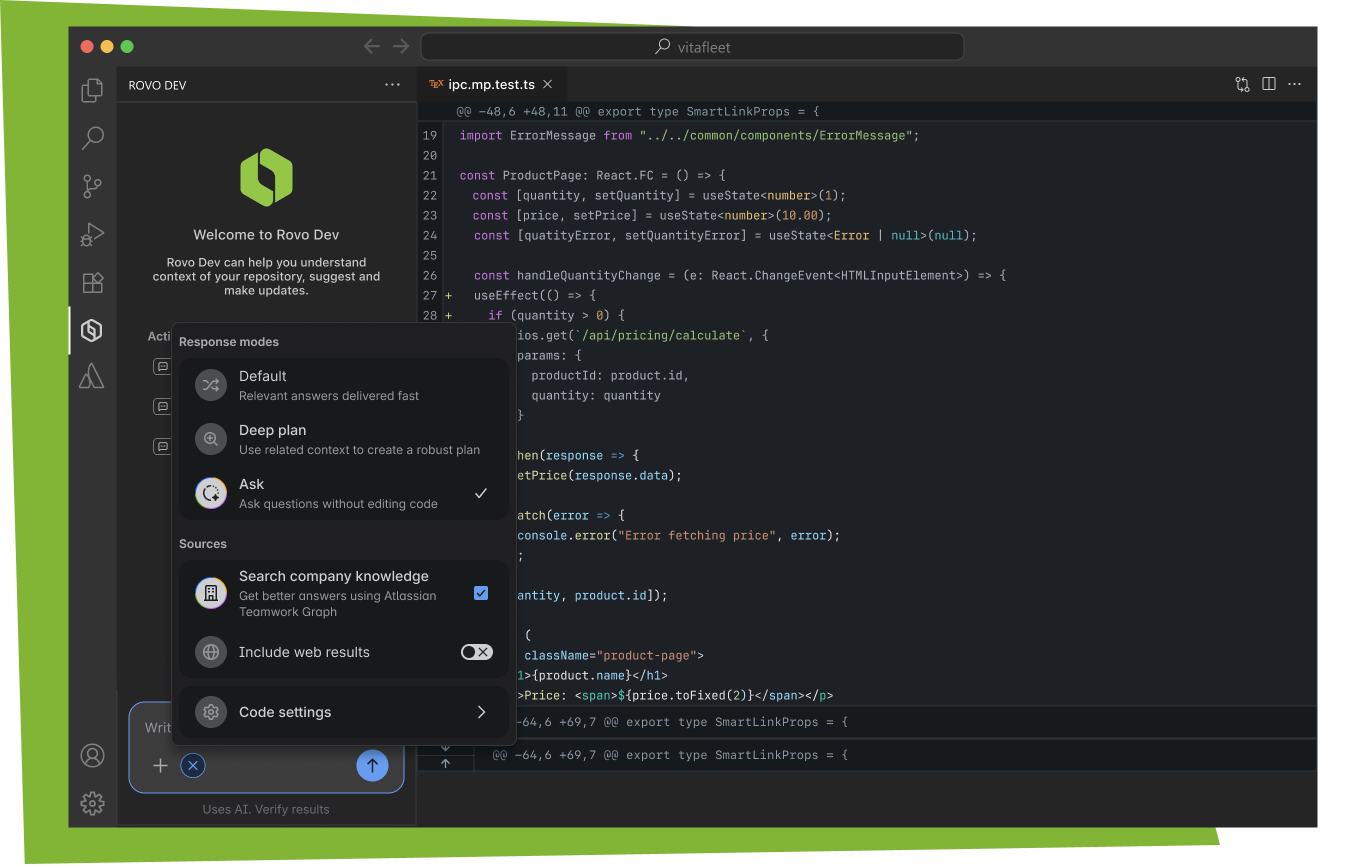
Developers can use Rovo Dev to search through their organization’s entire knowledge base without leaving the IDE. This includes searching through Confluence pages for architectural decisions or Jira tickets for bug reproduction steps. The chat interface allows for natural language queries, enabling developers to ask questions about the codebase or the business logic behind a specific feature.
Rovo Dev is capable of suggesting and applying code edits directly within the editor. Based on the requirements found in a Jira ticket, the agent can generate boilerplate code, implement logic, or refactor existing functions. This "agentic" behavior distinguishes it from standard autocomplete tools, as it can understand complex instructions and execute multi-line changes that align with the project’s established patterns.
To ensure code quality, Rovo Dev can assist in running tests and interpreting the results. If a test fails, the agent can analyze the output, identify the likely cause of the failure, and suggest a fix. This immediate feedback loop helps developers catch errors early in the development cycle, long before the code reaches the pull request stage.
Once the coding task is complete, Rovo Dev can help prepare commits and pull requests. It can summarize the changes made, ensuring that the documentation remains accurate and that reviewers have a clear understanding of the modifications. This automation reduces the administrative burden on developers, allowing them to move to the next task more quickly.
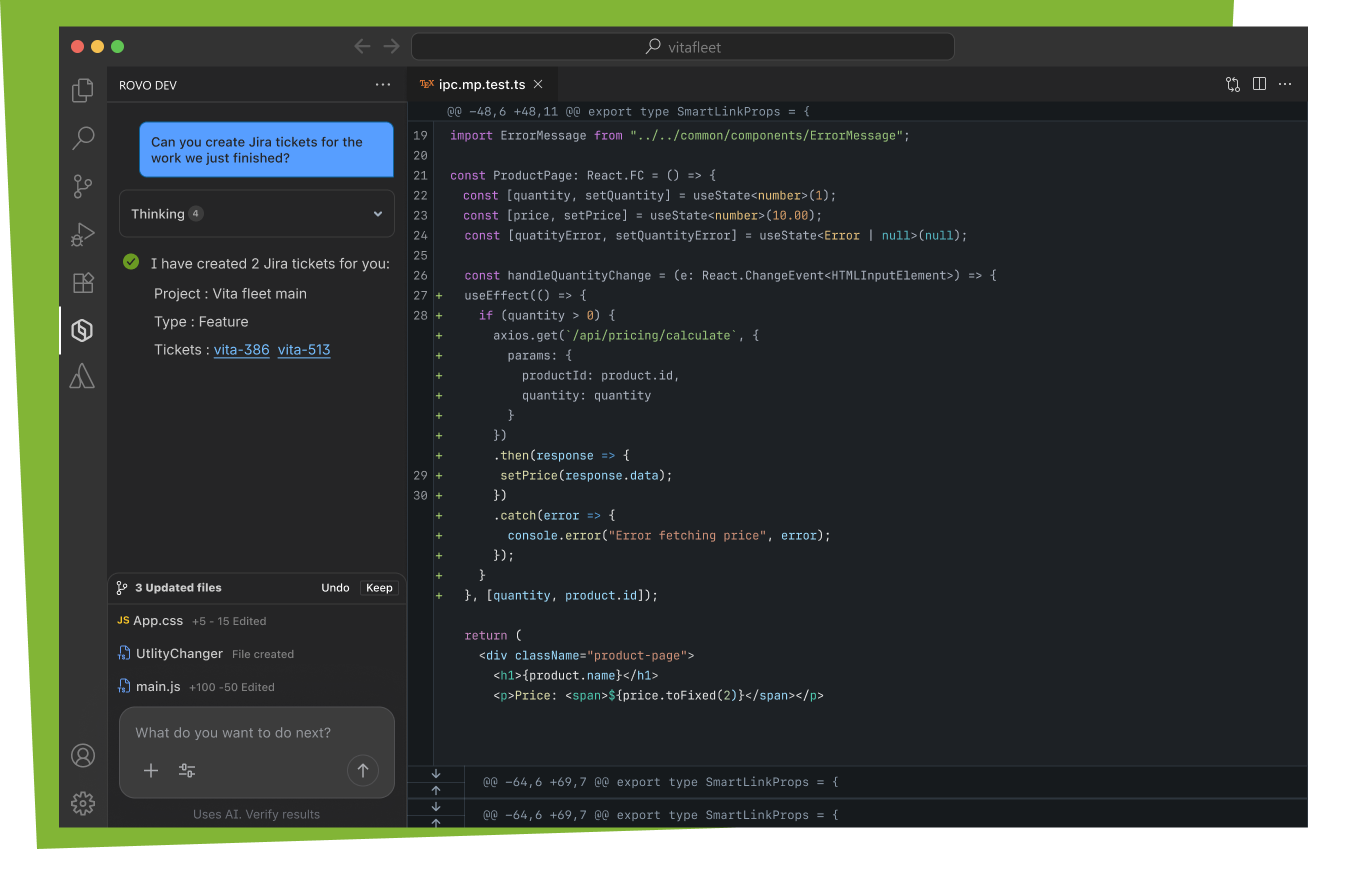
To illustrate the practical utility of Rovo Dev, Atlassian highlighted several common workflows that are now more efficient within VS Code. One such workflow involves the management of Jira tickets. Instead of opening a web browser to update a task, a developer can open the Jira extension within VS Code and use Rovo Dev to create a new ticket or update an existing one based on the code they are currently writing.
Another example involves the "Plan" mode. When a developer is assigned a new task, Rovo Dev can analyze the associated Jira ticket and present a proposed plan of action. This plan might include a list of files that need to be modified and a summary of the logic that needs to be implemented. Once the developer approves the plan, the agent can begin generating the necessary code, significantly accelerating the "cold start" phase of a new feature or bug fix.
While the Rovo Dev features are integrated into the Atlassian VS Code extension, there are specific administrative requirements to unlock its full suite of AI capabilities. To utilize Rovo Dev chat, code search, and smart suggestions, organizations must have Rovo Dev installed and enabled at the site level.
Atlassian offers a "Standard" version of Rovo Dev, and administrators must ensure that the features are turned on within the Atlassian administration console. This ensures that the AI agent has the necessary permissions to access the organization’s data and that security and compliance standards are maintained. Once enabled on the site, individual developers can access the features by simply updating their Atlassian VS Code extension to the latest version.
The general availability of Rovo Dev in VS Code is the result of an extensive development process informed by user feedback. Atlassian emphasized that the product’s evolution was shaped by direct conversations with developers who participated in earlier testing phases. This feedback-driven approach was intended to ensure that the tool addresses real-world pain points rather than operating on theoretical assumptions about developer needs.
The company expressed gratitude to the community for their contributions, noting that the release is a milestone in their mission to build "intelligent development" experiences. Atlassian has indicated that they will continue to listen to user input as they refine Rovo Dev and expand its capabilities in future updates.
The general availability of Rovo Dev for Visual Studio Code signifies a shift toward more integrated, AI-assisted development environments. By embedding an agent that understands the broader organizational context into the primary tool where code is written, Atlassian is attempting to bridge the gap between project management and technical execution. As AI agents become more prevalent in software engineering, tools like Rovo Dev that leverage deep integration with existing teamwork data may set a new standard for developer productivity and focus. Developers interested in exploring these capabilities can find the Rovo Dev features within the Atlassian extension on the Visual Studio Marketplace.