 11
11 1
1 2
2 3
3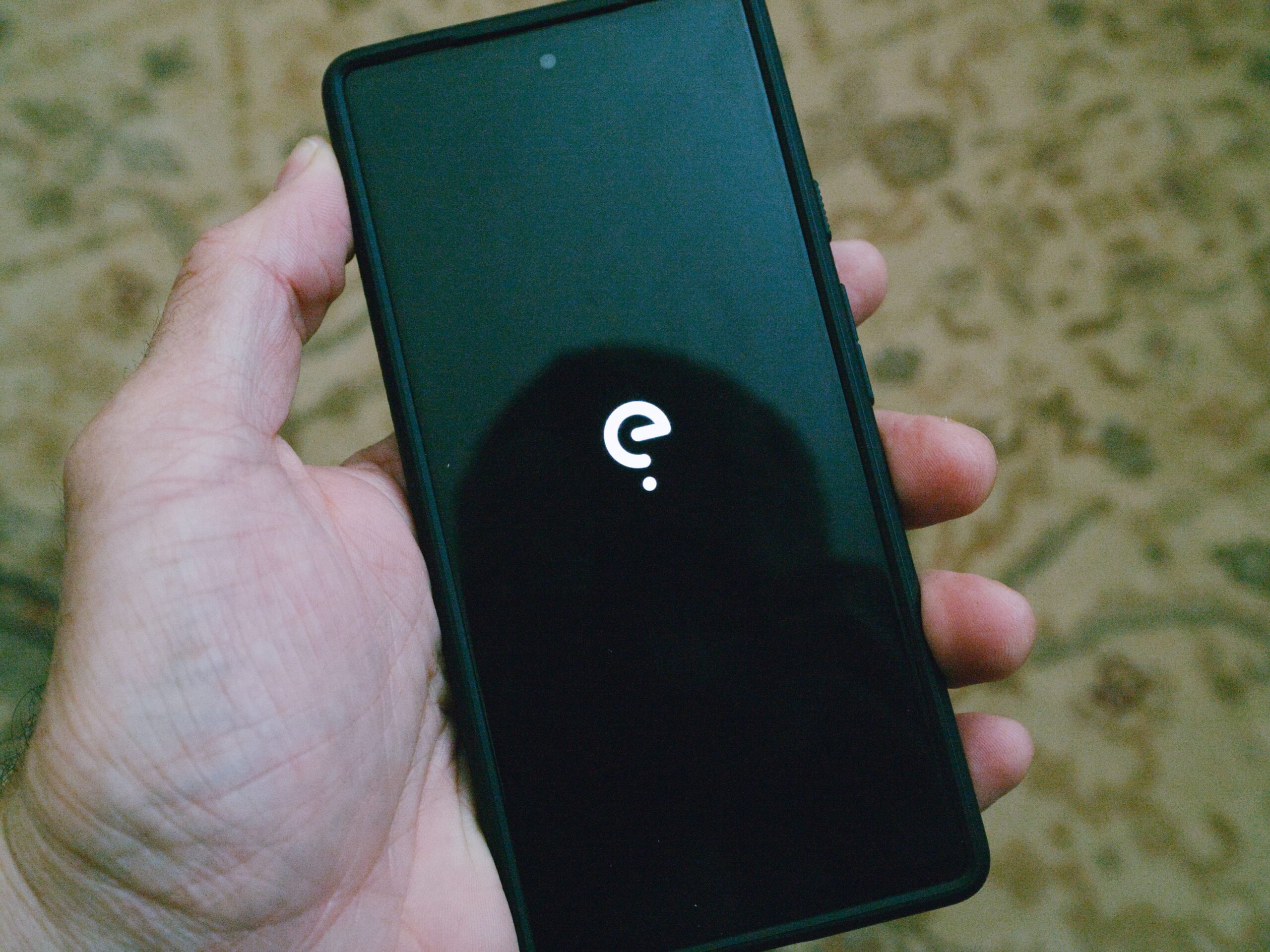
For individuals seeking to diminish Google’s pervasive influence in their digital lives, finding alternative services for search, email, and photo storage is a relatively straightforward endeavor. However, the challenge significantly intensifies when attempting to replace Google’s presence within a mobile operating system. While an iPhone might seem like the most apparent substitute, those committed to a Google-free existence often find Apple’s ecosystem, despite its privacy improvements over standard Android, still falls short of ideal in terms of data autonomy.
Fortunately for privacy-conscious users, viable alternatives to the standard Android experience do exist. It’s crucial to note that while many of these systems are technically based on Android, rather than being entirely distinct operating systems, they are meticulously engineered to strip out Google and its associated services. This process typically involves removing all Google services and replacing them with alternative code, most notably projects like microG. This replacement code is often sandboxed to isolate it and restrict its access to the system, resulting in a smartphone that is less reliant on Google, intrudes less on personal privacy, and can, in some cases, offer an enhanced security posture. Despite these significant modifications, their underlying foundation remains the Android Open Source Project (AOSP).
For those seeking a truly independent mobile operating system, the options become considerably more limited. Regrettably for advocates of entirely free and open-source software, Apple’s iOS continues to be the most functional and robust alternative to Android. However, a significant portion of users exploring Android alternatives are precisely those who wish to avoid switching to an Apple device due to its inherent closed ecosystem. Beyond iOS, a few Linux-based phone systems are emerging, with SailfishOS being a prominent example that even boasts the ability to run Android applications. Nevertheless, current testing indicates that these nascent Linux-based operating systems are not yet mature enough to serve as reliable daily drivers for the average user.
The decision to remove Google services from your phone is a personal one, and it’s not a mandatory step for everyone. Many users happily run Google Services on modified Android systems like LineageOS simply to explore system customization and expand their phone’s capabilities, which is a perfectly valid motivation for delving into the world of alternative Android operating systems.
However, a growing number of users are driven by privacy concerns. Google’s track record regarding user privacy has, for many, become a significant point of contention. De-Googling a phone offers a practical method to enjoy the myriad conveniences and functionalities of a modern smartphone without the implicit trade-off of continuously sharing personal data with Google and the multitude of applications that leverage its extensive APIs. This approach aligns with the belief that individuals should be able to fully participate in the technological world without having to surrender their privacy as a prerequisite. For instance, the author has personally utilized GrapheneOS, an Android alternative, for over five years, underscoring the feasibility and benefits of such a choice.
At its core, Google’s Android mobile operating system is open source. This means that, in principle, anyone can develop and build their own mobile operating system using the foundation provided by the Android Open Source Project (AOSP). While AOSP furnishes the fundamental code, it represents only one component of a complete and functional mobile operating system.
The complexity arises because, beyond the open-source Android operating system, smartphones rely on device-specific drivers and Google’s proprietary Play Services application programming interfaces (APIs). These APIs are critical for the functionality of countless apps and services. Furthermore, a suite of built-in applications for basic functions, often developed by Google, adds another layer to the system. This additional, often proprietary, layer built atop the core Android operating system is precisely what makes it exceptionally challenging for alternative projects to replicate. While it’s relatively straightforward for projects to get the basic AOSP code running on a device, the true difficulty lies in crafting a comprehensive and compelling mobile user experience on top of that base, particularly without Google’s proprietary components. This inherent challenge explains why the list of genuinely effective and user-friendly de-Googled Android alternatives remains relatively short.

The bootloader is a critical piece of software that dictates which operating system loads when your phone starts up. For security reasons, device manufacturers typically lock the bootloader. They embed a cryptographic key, a public read-only key, onto the phone. When a software update is released, the manufacturer digitally signs it. Upon receiving the update, the phone verifies that the signature matches the embedded key. If the signatures align, the update is applied; if not, it’s rejected. This fundamental security mechanism is designed to protect your device from unauthorized software and potential malware.
However, this locked bootloader also serves as a barrier, preventing users from installing alternative operating systems. Consequently, one of the initial steps in installing a de-Googled operating system is unlocking the bootloader. After installing the desired alternative OS, the natural inclination might be to relock the bootloader to restore the security chain. Unfortunately, this is often not possible with most devices. This is a primary reason why Google Pixel phones are popular among enthusiasts and tinkerers, as Pixels (along with a select few other devices) allow users to relock the bootloader after installing a custom OS. By and large, however, most users of alternative operating systems must operate with an unlocked bootloader. While not ideal and representing a known security vulnerability, there isn’t a universally good solution apart from specifically choosing a Pixel device if this feature is paramount.
Apple’s iOS undoubtedly offers more privacy-centric features compared to a stock Android experience. From a user perspective, it functions as a competent operating system. However, its significant drawback for those seeking true digital independence is its deep and often inescapable integration with the Apple ecosystem. While it’s technically possible to eschew iCloud, implement personal syncing solutions, and avoid Apple’s various proprietary tools, doing so often feels like an uphill battle, constantly fighting against the phone’s design. For users for whom iOS adequately meets their needs, it’s a perfectly acceptable choice. Yet, for many others, a de-Googled Android phone offers a more convenient and user-friendly path to enhanced privacy and control without the inherent ecosystem lock-in of Apple.
For the majority of users seeking a seamless transition to a de-Googled mobile experience, the Murena /e/OS version of the Fairphone 6 stands out as the top recommendation. This device offers the complete /e/OS experience right out of the box, emphasizing privacy and actively blocking application trackers. Beyond its software, the Fairphone hardware itself is noteworthy for its commitment to repairability, featuring a user-replaceable battery and a design that facilitates easy component swaps. Crucially, the bootloader on the Fairphone 6 comes locked, providing an enhanced security posture.
For users in the United States, there is a specific compatibility caveat: the Fairphone 6 currently operates exclusively with T-Mobile and its Mobile Virtual Network Operators (MVNOs). Interestingly, an earlier review by editor Julian Chokkattu found it functioned perfectly well on GoogleFi. The author’s own tests using T-Mobile’s prepaid plan and RedPocket’s T-Mobile-based service yielded no connectivity issues.
The Fairphone 6’s appeal is significantly amplified by the integration of /e/OS. Thanks to the privacy-first architecture of /e/OS, applications are prevented from tracking users, yet they maintain functionality approximately 99 percent of the time. This high degree of compatibility is often a challenge for alternative operating systems, particularly with sensitive applications like banking apps.
At the heart of /e/OS’s privacy features lies the Advanced Privacy app and its accompanying widget. This tool allows users to actively block or selectively permit in-app trackers. Additional features include the ability to hide your IP address or spoof your geolocation when desired. While IP and geo-spoofing serve niche uses, the primary privacy benefit for most users is the robust capability to block trackers embedded within applications—a feature that often reveals just how prevalent these trackers are.
Murena further enhances the /e/OS experience by including a sophisticated custom app store, known as the App Lounge. This App Lounge functions similarly to Google’s Play Store but incorporates valuable extra features, particularly detailed privacy information for each application. Under every app listing, users will find a privacy grade ranging from 1 to 10, where 1 signifies poor privacy practices and 10 generally indicates the absence of trackers. The App Lounge also evaluates apps based on the permissions they request, with fewer permissions (e.g., access to photos or geodata) resulting in a higher rating.

This intuitive system effectively translates complex privacy data into an easily digestible format for any user. The /e/OS App Lounge aggregates applications from diverse sources, including the Play Store and F-Droid, consolidating them into a single, convenient platform. Users can filter to display only open-source applications and have the option to install apps from the Play Store either anonymously or by logging in with their Google account. While a Google account is necessary for installing previously purchased applications, users can then log out and proceed to install other apps anonymously, with /e/OS actively blocking any known trackers associated with these applications.
For owners of Google Pixel devices, GrapheneOS represents the pinnacle of security and privacy-focused operating systems. Its robust features are unparalleled, and the installation process is remarkably straightforward thanks to its intuitive online installation tool. A significant advantage of GrapheneOS is its unique ability to easily relock the bootloader after installation, a critical security measure often unavailable on other custom ROMs. However, this superior security and ease of use come with a notable limitation: GrapheneOS is exclusively compatible with Google Pixel phones and tablets. While the GrapheneOS project has indicated potential hardware support for another phone model in late 2026, for the foreseeable future, it remains a Pixel-centric solution.
GrapheneOS is widely regarded as the most feature-complete among AOSP derivatives when it comes to enhancing security and privacy. A detailed comparison chart readily illustrates its comprehensive capabilities. A GrapheneOS-powered phone can be operated entirely without ever connecting to Google services. In such a configuration, users would primarily rely on open-source applications from repositories like F-Droid. The primary functional limitation of GrapheneOS is its inability to support Google Pay, a restriction imposed by Google itself which actively blocks non-stock Android systems from utilizing the service.
Beyond the locked bootloader and the default absence of Google services (the Play Store can be installed from the GrapheneOS App Store and runs securely sandboxed as an ordinary application), GrapheneOS incorporates sophisticated features to restrict application access to user data. A standout feature is the concept of "scopes," which ingeniously allows users to grant apps what appears to be full access to resources like storage or contacts, while actually limiting their access to only specific, user-defined portions. This ensures apps function correctly without compromising privacy.
For instance, instead of granting system-wide storage permissions, a user can leverage the Storage Scope to restrict an app’s access to only designated folders. The app will perceive full storage permissions and operate as intended. A similar mechanism applies to contacts. An example provided is installing Gmail for work purposes, but limiting its contact access to a specific group containing only work contacts, thereby preventing access to personal contacts.
This granular control extends to files and folders via Storage Scope and offers fine-grained management over sensor permissions. GrapheneOS provides control over sensors that stock Android typically doesn’t, such as the accelerometer, gyroscope, compass, barometer, and thermometer. When an app requests access to a denied sensor, GrapheneOS provides the app with "zeroed data" (meaning no actual data) and notifies the user that the request was made and subsequently blocked.
The primary drawback of GrapheneOS lies in the effort required to fully configure its advanced privacy and security features, particularly setting up scopes for various applications. This process can involve some troubleshooting to ensure all apps function correctly. The author notes an instance where a specific banking app (from a small, local credit union) remained incompatible with GrapheneOS. Despite these minor challenges, the GrapheneOS experience is generally considered to be as close to "just works" as one can get with an Android alternative. While it lacks a direct equivalent to /e/OS’s Advanced Privacy widget for real-time tracking insights, GrapheneOS is highly recommended for Pixel phone owners seeking maximum security and privacy.
For users who do not own a Pixel phone but still desire a de-Googled experience, /e/OS remains an excellent choice, capable of being installed on a wide array of devices. The /e/ Foundation provides comprehensive instructions for self-installation on numerous phone models. The author has successfully utilized /e/OS on various devices, including Pixels, an older OnePlus, and several Fairphone models, reporting no hardware issues. While some of these installations might involve community-maintained images and therefore might not carry the same official support level as Murena’s explicitly supported phones, for many privacy-conscious readers, direct official support may not be the primary concern. /e/OS boasts compatibility with an extensive list of devices, and the author has consistently found it to be reliable.

The process of installing /e/OS on your own device typically involves connecting it to a personal computer and executing specific code. While this requires some familiarity with command-line operations (pasting commands into a terminal window), it is generally not overly difficult. The Murena website provides clear, step-by-step installation instructions to guide users through the process.
It is important for users installing /e/OS on hardware other than Pixel or Fairphone devices to be aware that the bootloader generally cannot be relocked after installation. As previously discussed, an unlocked bootloader constitutes a security vulnerability. Users choosing this path should fully understand these implications, referencing the FAQ section for a comprehensive explanation of bootloader security.
For individuals who do not possess a Pixel phone and are keen to delve deep into customizing their smartphone’s ROM and meticulously tweaking every system detail, the LineageOS project offers the most suitable and comprehensive option. The installation of LineageOS generally requires a slightly more hands-on approach. Users will need a personal computer to "sideload" the code onto their phone, which involves connecting the device via USB and running a series of commands in a terminal window to complete the installation.
While the process is more involved than some other alternatives, it is not inherently difficult. Numerous well-structured, step-by-step tutorials are readily available online to guide users through the installation. The specific code and steps may vary depending on the device model, but the fundamental process remains consistent. Anyone with a modest level of programming experience or comfort with command-line interfaces should be capable of successfully installing and running LineageOS.
A key characteristic of LineageOS is its default configuration: it contains no Google services and does not have the Play Store installed. Users who wish to include these Google components must flash them separately during the initial system installation; they cannot be added at a later stage.
Furthermore, LineageOS is widely considered the best operating system for users who intend to "root" their phone. Rooting provides complete, unfettered access to the device’s underlying operating system. While rooting creates a significant security vulnerability and is generally not recommended for devices used in daily life, it offers an unparalleled environment for those who wish to tinker, experiment, and learn on an older, non-critical phone.
Power up with unlimited access to WIRED. Get best-in-class reporting and exclusive subscriber content that’s too important to ignore. Subscribe Today.