 11
11 1
1 2
2 3
3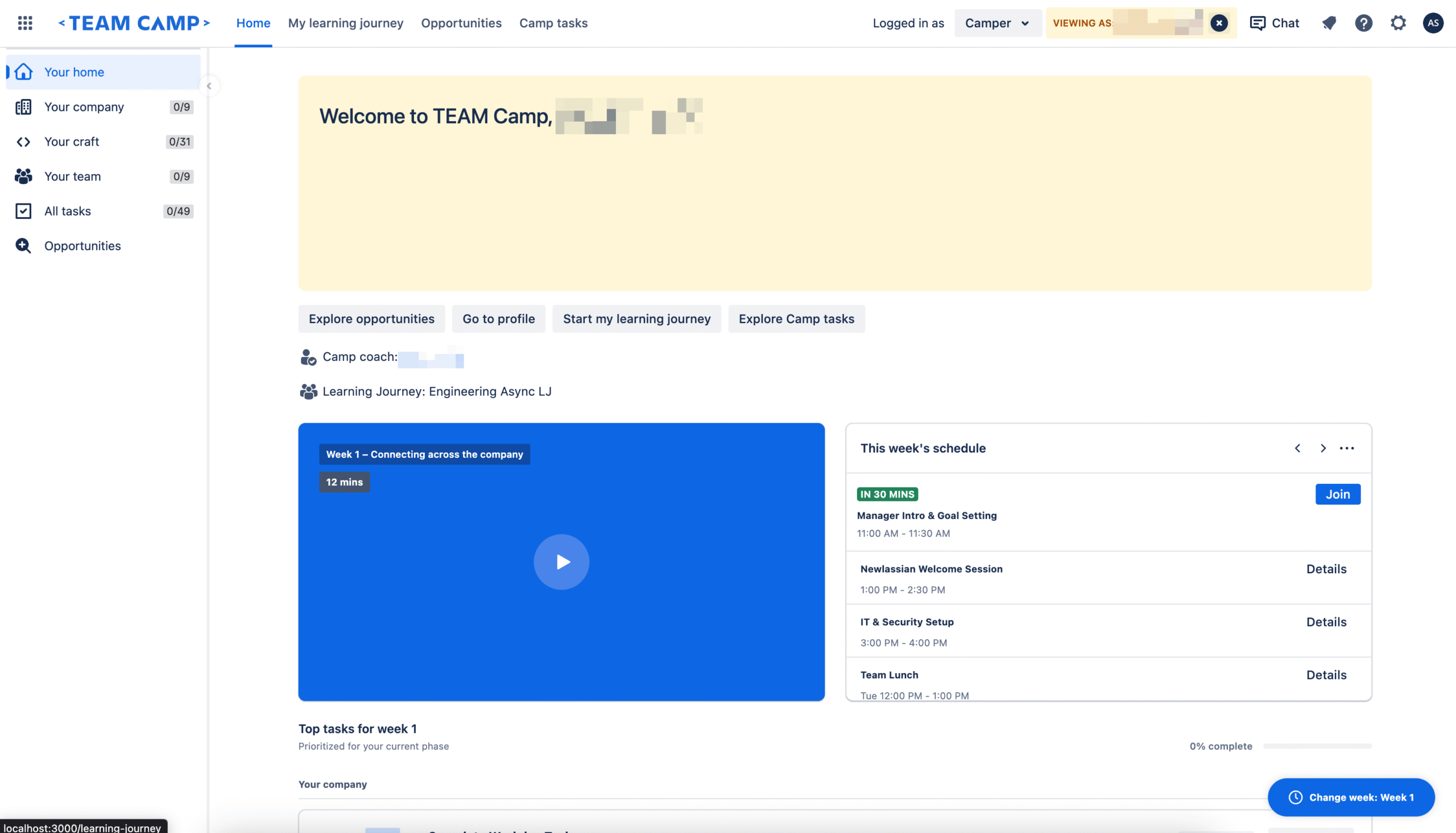
The traditional landscape of frontend engineering is undergoing a significant shift as new orchestration tools bridge the gap between design conceptualization and production-ready code. In a recent technical demonstration, developers showcased a complete visual overhaul of an application homepage, reducing a task that typically requires four to five days of manual effort down to a mere 20 minutes. This massive gain in efficiency was made possible through the integration of the Rovo Dev CLI with two specific Model Context Protocol (MCP) servers: the Figma Desktop MCP and the Atlassian Design System (ADS) MCP. By automating the "translation layer" between design mockups and React code, the workflow eliminates the need for manual token lookups, component API guessing, and repetitive CSS adjustments in browser developer tools.
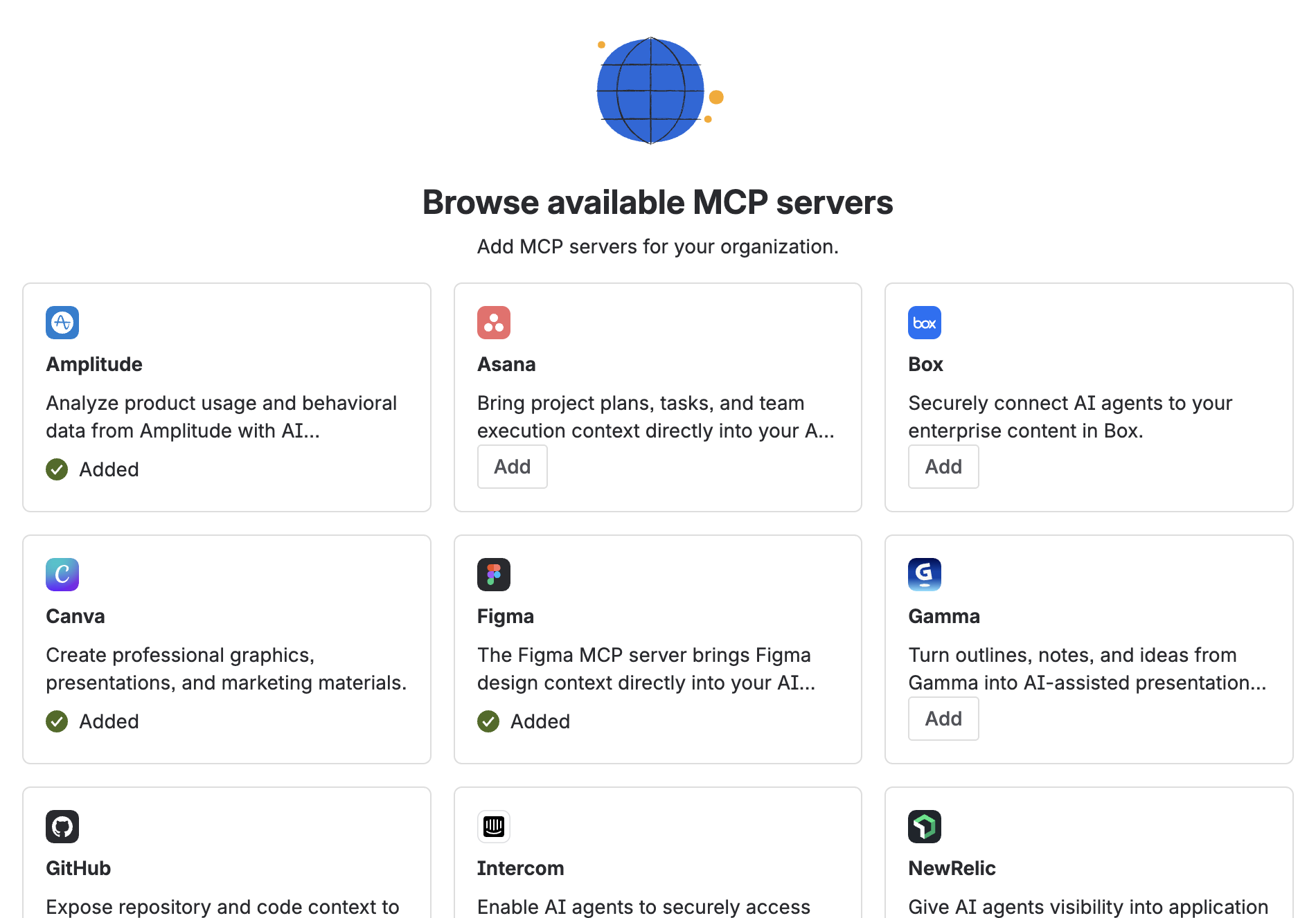
At the heart of this transformation is the Model Context Protocol (MCP), an open standard that allows AI models to interact securely and structurally with local development environments and external tools. In this specific redesign, three primary technologies were configured to work in a unified pipeline.
First, the Figma Desktop MCP was utilized to connect directly to the Figma desktop application. This server allows the AI to extract raw design data directly from Figma files, moving beyond simple image recognition to access the underlying layer data. The configuration involves setting a local URL and transport protocol, typically structured as follows:
  "figma-desktop":
      "url": "http://127.0.0.1:3845/mcp",
      "transport": "http"
Second, the Atlassian Design System (ADS) MCP was integrated to provide the AI with a comprehensive library of Atlassian-specific components, design tokens, icons, and accessibility standards. This ensures that any generated code is not just generic HTML and CSS, but strictly follows the official design language of the organization. The setup uses a standard node package execution command:
  "atlassian-design-system-mcp":
      "command": "npx",
      "args": ["-y", "@atlaskit/ads-mcp"]
Finally, the Rovo Dev CLI served as the primary AI coding agent and orchestrator. It was responsible for querying the other two servers, interpreting the design requirements, generating the React components, and executing the test suites to ensure the output met production standards.
The motivation for this automated workflow stems from the inherent friction in the standard design-to-code process. When a frontend engineer receives a Figma mockup for a homepage redesign, they are usually faced with several days of "mechanical translation." This involves interpreting the visual design, manually searching for corresponding design tokens (such as specific hex codes for colors or pixel values for spacing), identifying which library components match the design, and wiring up complex layouts. Furthermore, the engineer must write unit tests and perform accessibility audits. The goal of the Rovo Dev experiment was to determine if AI could collapse these mechanical steps into a single, automated session while maintaining—or even exceeding—the quality of manual coding.
The redesign process was executed in a series of highly coordinated steps, where the AI agent utilized specific tools provided by the MCP servers.
Step 1: Deep Design Extraction
The process began by providing Rovo Dev with the Figma node URL for the new homepage design. The Figma MCP then invoked two critical tools: get_design_context and get_screenshot. The get_design_context tool extracted the full design tree, including the layout structure, typography, spacing, and component hierarchy. Simultaneously, get_screenshot provided a visual "ground truth" for the AI to reference. By combining structured semantic data with a visual image, the AI was able to understand both the intent of the design and its exact visual representation, removing the guesswork often associated with AI-generated UI.
Step 2: Aligning with the Atlassian Design System
One of the most common failures of generic AI coding assistants is the generation of "hallucinated" styles or non-standard components. To prevent this, Rovo Dev queried the ADS MCP using a tool called ads_plan. This allowed the AI to request specific tokens for colors (such as background and text colors), spacing (padding and margins), and typography. It also identified the correct Atlassian components to use, such as Banners, Cards, Buttons, and Progress Bars. Because the AI was fed the real-world documentation and API requirements of the design system, the resulting code used legitimate tokens rather than hardcoded values.
Step 3: Analyzing Local Codebase Patterns
To ensure the new code would fit seamlessly into the existing project, Rovo Dev analyzed the local project’s coding patterns, often stored in a .rovodev/code-patterns.md file. This allowed the AI to understand the project’s specific preferences for directory structure, testing frameworks, and state management. This step ensured that the generated components looked like they were written by a human member of the team rather than an external bot.
Step 4: Automated Component Generation
Equipped with the design data, the design system guidelines, and the local codebase context, Rovo Dev generated six entirely new React components. These included:
WelcomeHeroBanner.tsx: An amber-themed hero section featuring a welcome message, week label, and description.WeeklyVideoCard.tsx: A blue card containing a video thumbnail, a play button overlay, and a duration badge.WeeklySchedulePanel.tsx: A panel displaying an event list with time badges and action buttons for joining or viewing details.TopTasksSection.tsx: A task management section with progress bars and interactive checkboxes.ChangeWeekFab.tsx: A floating action button for navigating between different weeks.CamperHomeSidebar.tsx: A navigation sidebar equipped with icons and completion badges.Step 5: Layout Composition and Integration
The AI then updated the main HomePage.tsx file to assemble these components into the layout specified by the Figma design. The layout followed a structured grid, placing the Hero Banner at the top, followed by a split view of the Video Card and Schedule Panel, and the Task Section below. Existing sections were preserved, and the sidebar was integrated using the project’s specific lazyWithSidebar utility for optimized loading.
Step 6: Iterative Testing and Bug Fixing
The final stage of the 20-minute window involved validation. The AI ran the project’s existing test suite and identified three initial failures: an incorrect heading hierarchy that violated accessibility standards, a missing React import, and a prop-type mismatch in the Task Section. The AI iteratively fixed these issues in seconds, running the tests after each correction until all checks—including accessibility audits—passed successfully.
The total output of the session was substantial: 10 files were modified, with 1,381 lines of code added and 70 lines of old code removed. The entire redesign was pushed to a new feature branch, ready for human review.
The implications of this workflow for the software industry are profound, focusing on four key areas:
As frontend development continues to evolve, the role of the developer is shifting from manual implementation to high-level orchestration. By removing the tedious layers of translation between design and production, tools like Rovo Dev and MCP servers allow engineers to focus on human-centric judgment, complex logic, and user experience, rather than the mechanical details of CSS and component wiring. For teams looking to adopt this workflow, the process involves setting up the Rovo Dev CLI, configuring the necessary MCP servers for their specific design tools and component libraries, and defining their codebase patterns to guide the AI’s output.